Karakteristik Industri Dagang
Ciri Khas
- Jual barang jadi - Tidak ada proses produksi
- Inventory management - Persediaan barang dagang
- HPP (Harga Pokok Penjualan) - Biaya barang yang dijual
- Multi-channel - Marketplace, toko fisik, website
Alur Bisnis Tipikal
Supplier → Purchase → Inventory → Sale → Customer
Template Transaksi Perdagangan
Melihat Daftar Template
Buka menu Pengaturan > Template Jurnal.
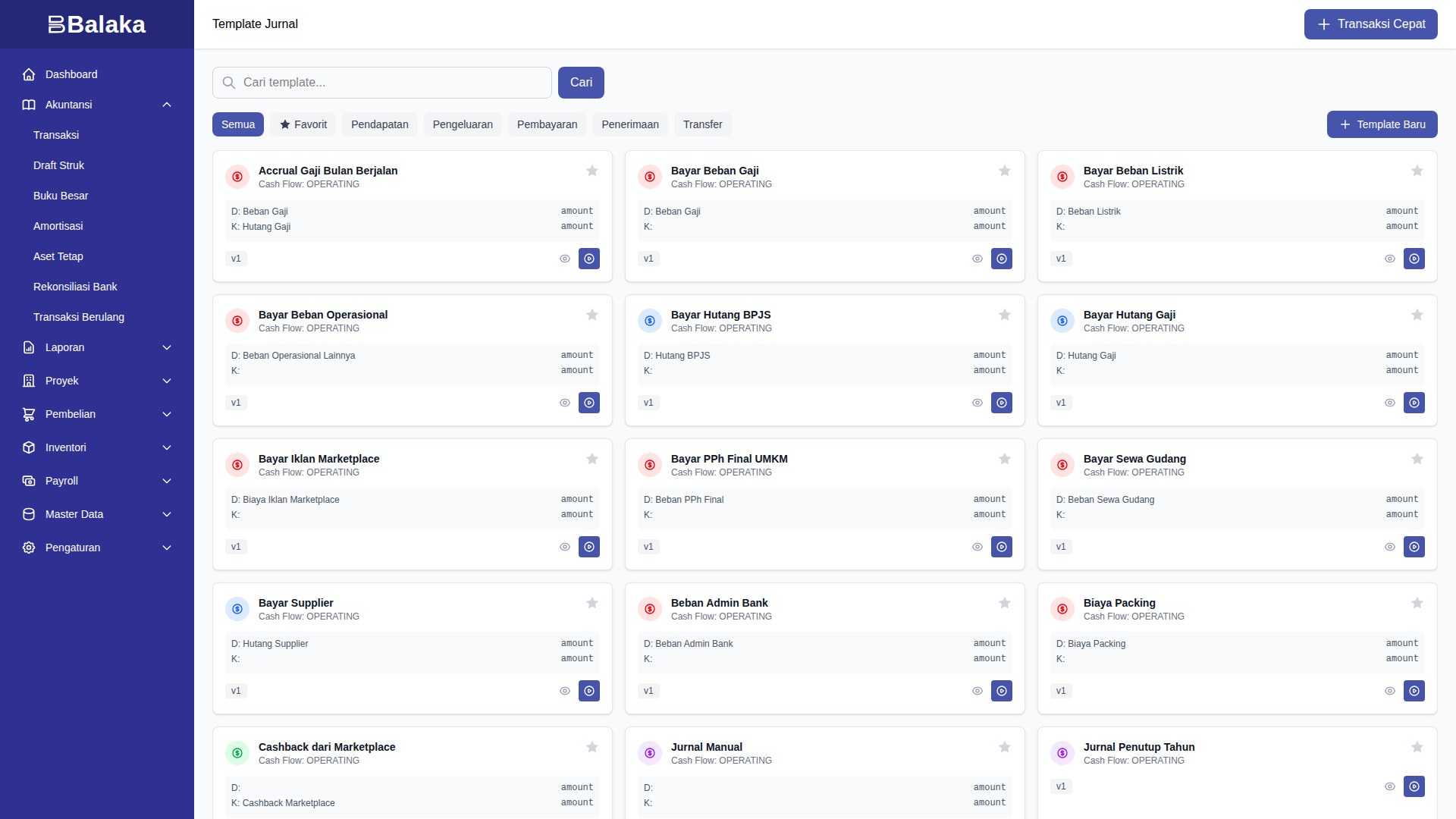
Template Standar
| Template | Kategori | Fungsi |
|---|---|---|
| Pembelian Persediaan | PURCHASE | Beli barang dari supplier |
| Penjualan + Auto-COGS | SALE | Jual barang dengan perhitungan HPP otomatis |
| Bayar Supplier | PAYMENT | Pelunasan hutang supplier |
| Bayar Ongkir Ditanggung Penjual | EXPENSE | Ongkos kirim untuk penjualan |
| Biaya Packing | EXPENSE | Biaya kemasan untuk pengiriman |
| Cashback dari Marketplace | RECEIPT | Cashback dari Tokopedia/Shopee |
| Beban Admin Bank | EXPENSE | Biaya administrasi bank |
| Bayar Iklan Marketplace | EXPENSE | Biaya promosi di marketplace |
Manajemen Produk
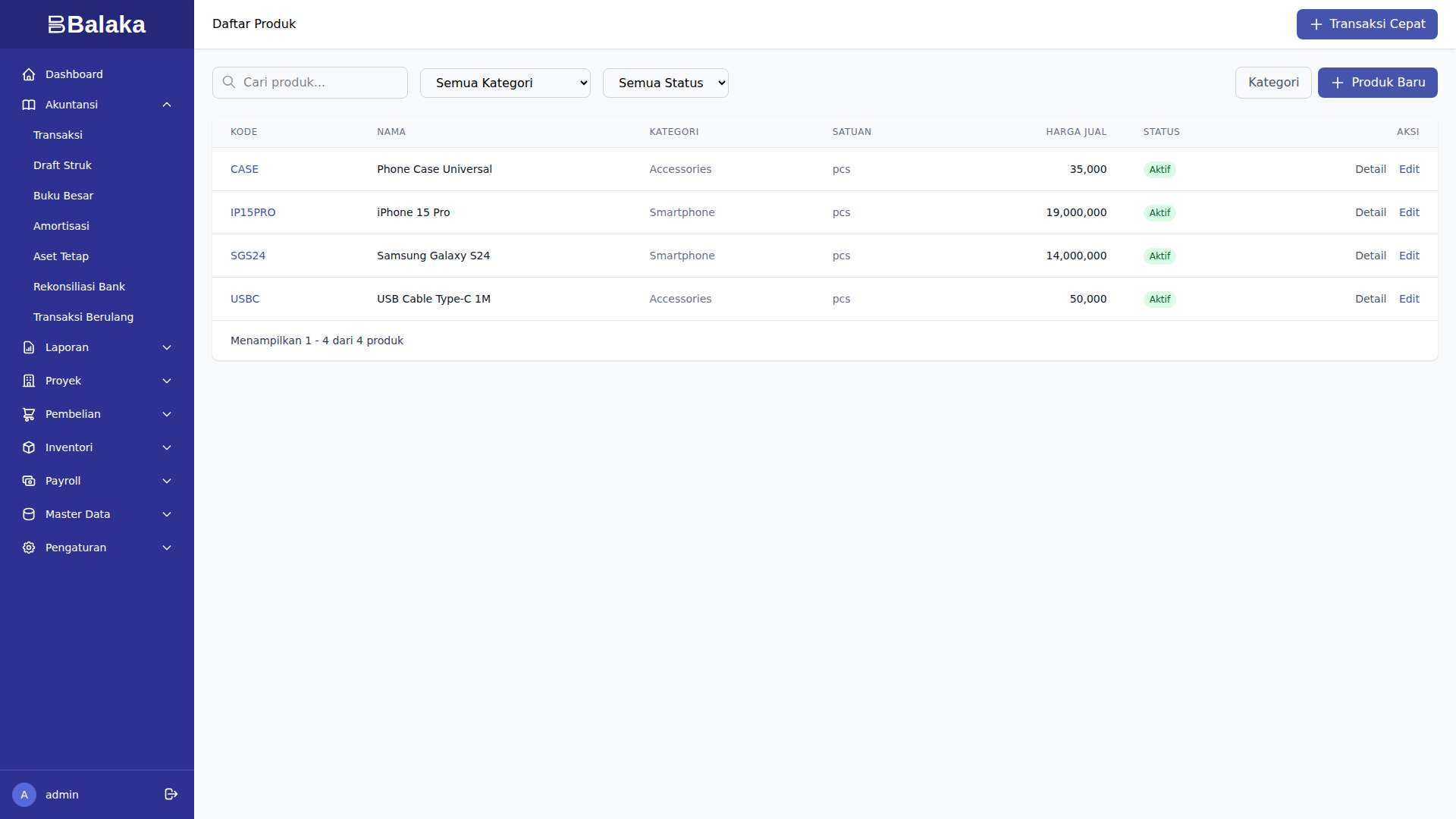
Melihat Daftar Produk
Buka menu Inventori > Produk.
Menambah Produk Baru
- Klik Produk Baru
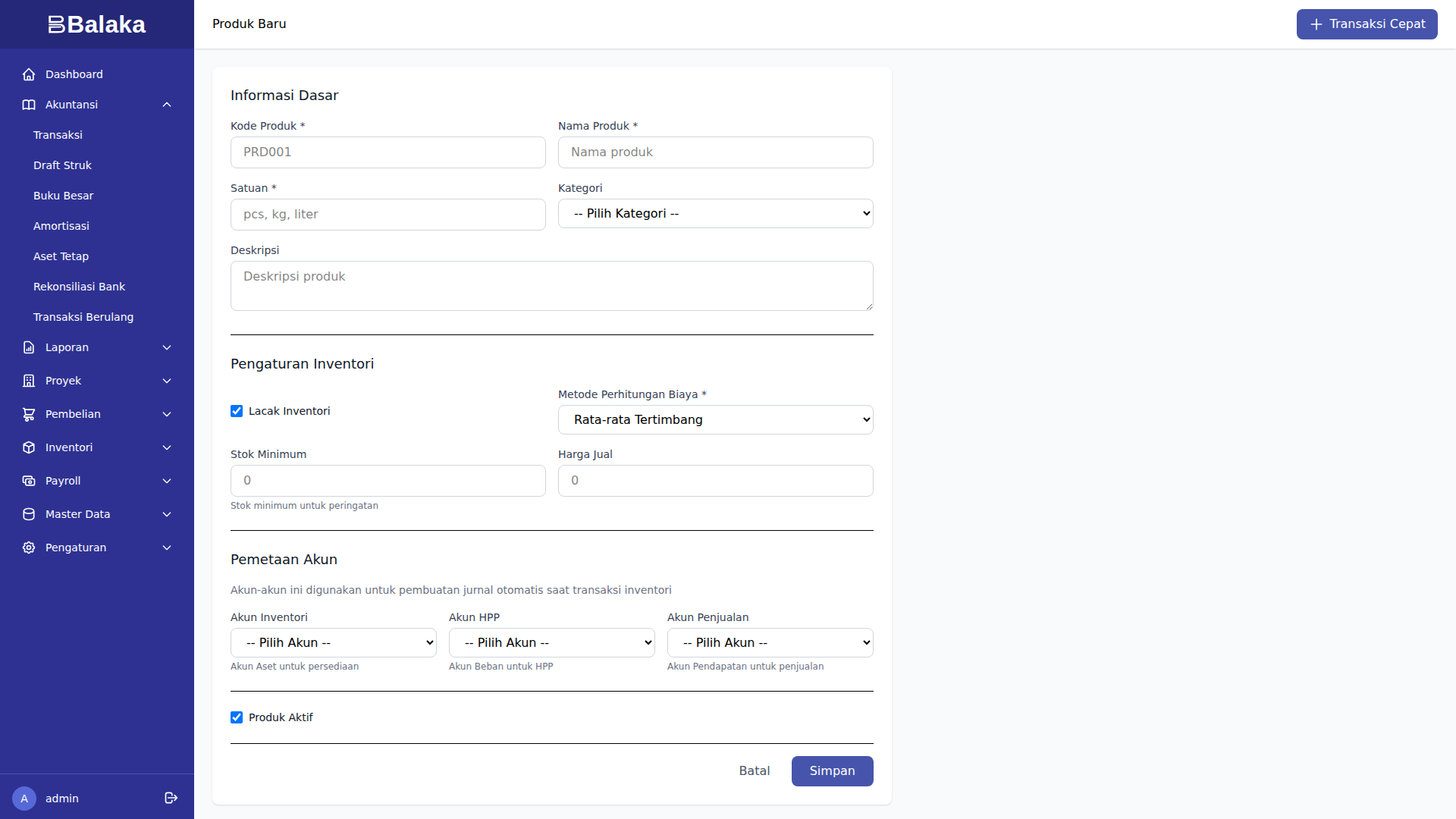
- Isi:
- SKU (Stock Keeping Unit)
- Nama produk
- Kategori
- Harga jual
- Metode costing (FIFO / Weighted Average)
- Akun persediaan
- Akun HPP
- Klik Simpan
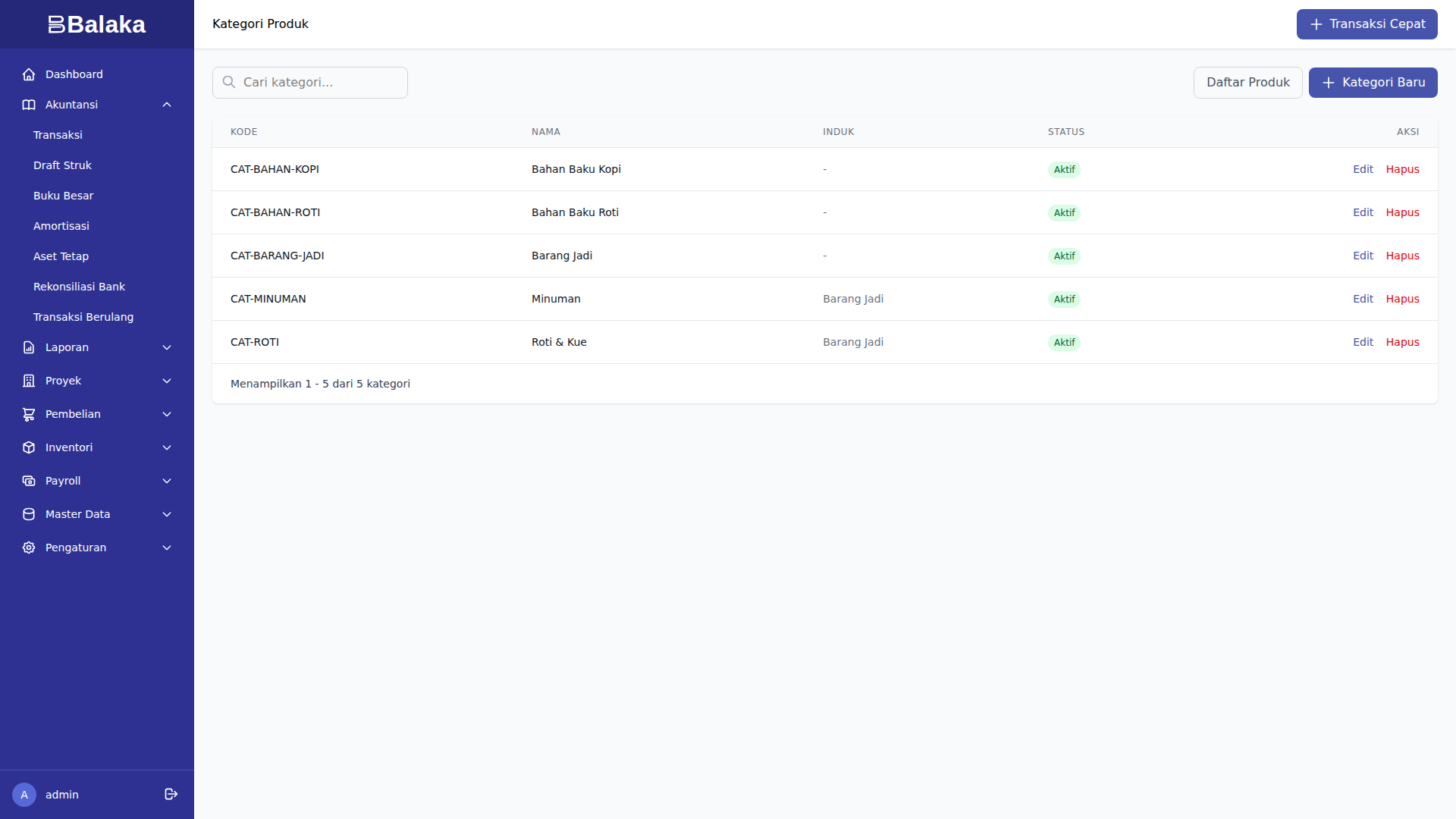
Kategori Produk
Buka menu Inventori > Kategori.
Tampilan Layar
Metode Penilaian Persediaan
FIFO (First In First Out)
Barang yang masuk lebih dulu, keluar lebih dulu.
Contoh:
| Tanggal | Transaksi | Qty | Harga/Unit | Total |
|---|---|---|---|---|
| 1 Jan | Beli | 10 | Rp 100.000 | Rp 1.000.000 |
| 5 Jan | Beli | 10 | Rp 110.000 | Rp 1.100.000 |
| 10 Jan | Jual | 15 | - | - |
Perhitungan HPP (10 Jan):
- 10 unit dari pembelian 1 Jan @ Rp 100.000 = Rp 1.000.000
- 5 unit dari pembelian 5 Jan @ Rp 110.000 = Rp 550.000
- Total HPP = Rp 1.550.000
Sisa Stok:
- 5 unit @ Rp 110.000 = Rp 550.000
Weighted Average
Harga rata-rata tertimbang.
Contoh:
| Tanggal | Transaksi | Qty | Harga/Unit | Total | Avg Cost |
|---|---|---|---|---|---|
| 1 Jan | Beli | 10 | Rp 100.000 | Rp 1.000.000 | Rp 100.000 |
| 5 Jan | Beli | 10 | Rp 110.000 | Rp 1.100.000 | Rp 105.000 |
| 10 Jan | Jual | 15 | - | - | - |
Perhitungan Average Cost (5 Jan):
- Total nilai: Rp 1.000.000 + Rp 1.100.000 = Rp 2.100.000
- Total qty: 10 + 10 = 20 unit
- Average = Rp 2.100.000 / 20 = Rp 105.000/unit
Perhitungan HPP (10 Jan):
- 15 unit @ Rp 105.000 = Rp 1.575.000
Sisa Stok:
- 5 unit @ Rp 105.000 = Rp 525.000
Transaksi Pembelian
Contoh 1: Pembelian iPhone 15 Pro
Konteks: Toko Gadget Murah membeli 10 unit iPhone 15 Pro dari distributor resmi Erajaya.
Langkah 1: Buka Form Pembelian
Menu Inventori > Transaksi > Pembelian Baru
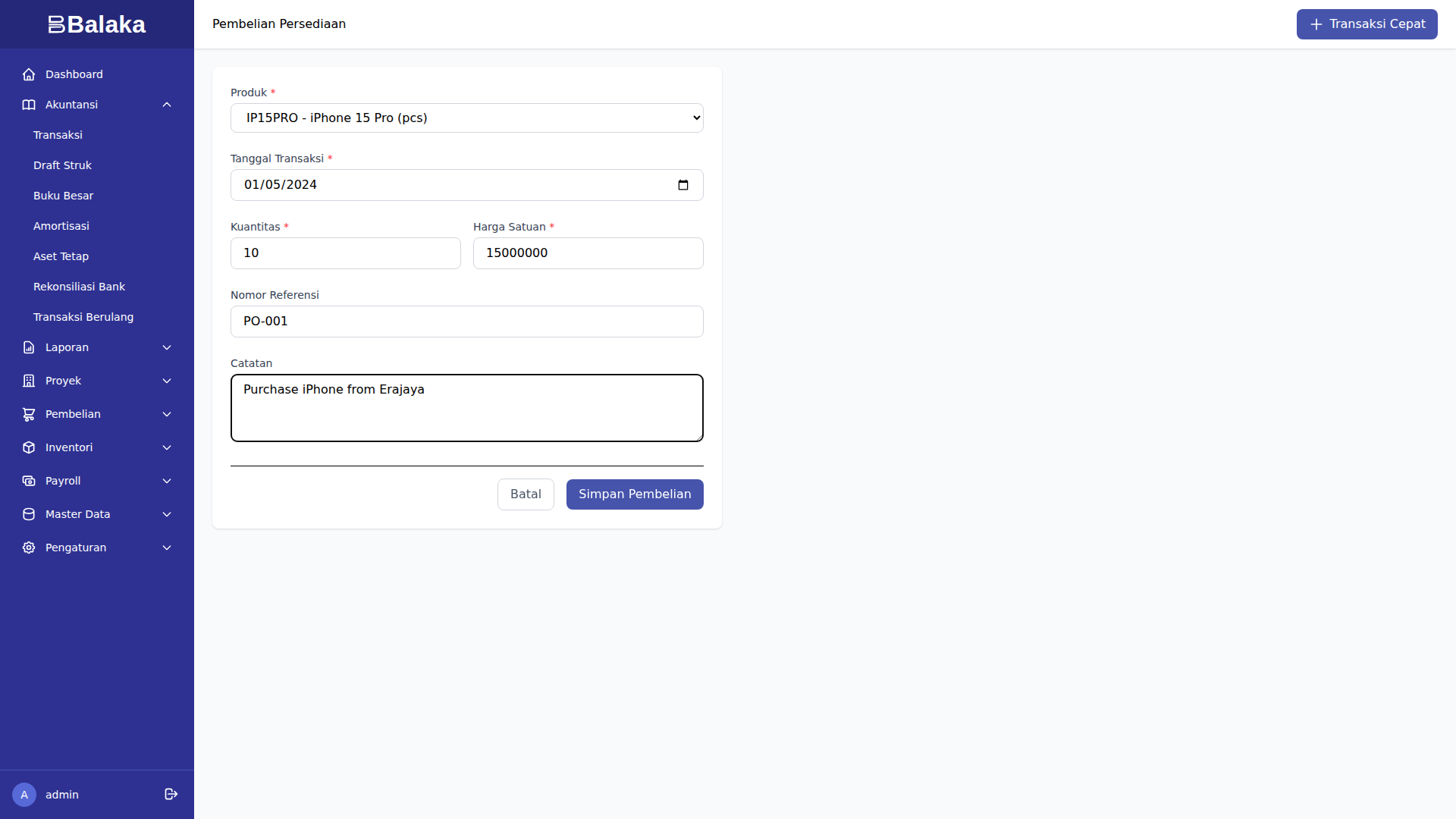
Langkah 2: Isi Data
- Tanggal: 5 Januari 2024
- Supplier: Erajaya
- Produk: iPhone 15 Pro (IP15PRO)
- Quantity: 10 unit
- Harga Beli: Rp 15.000.000/unit
- Total: Rp 150.000.000
- Referensi: PO-001
- Rekening: Bank BCA
Langkah 3: Simpan & Posting
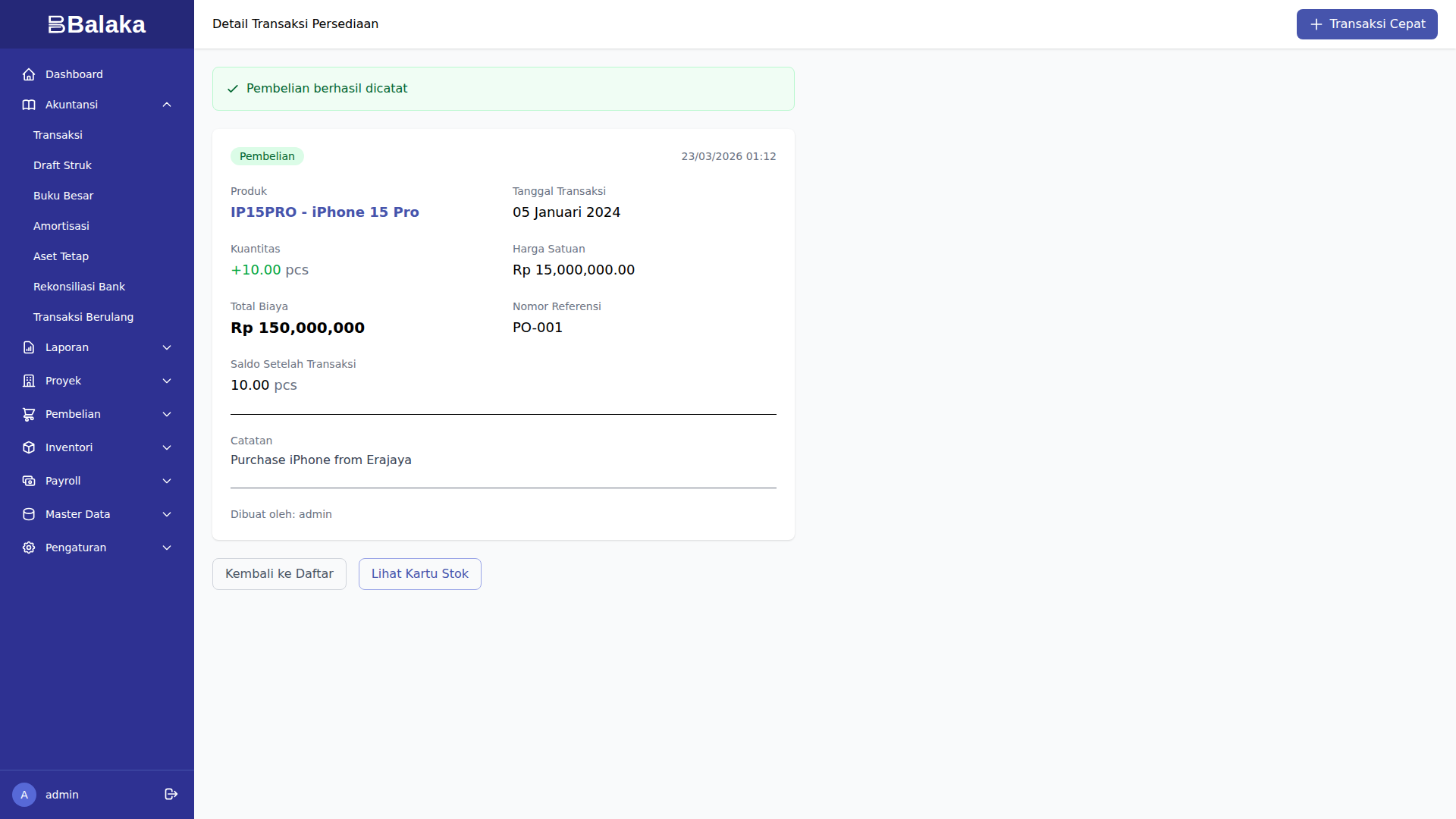
Jurnal Otomatis (DRAFT):
Dr. 1.1.20 Persediaan Barang Dagang  Rp 150.000.000
    Cr. 1.1.01 Bank BCA                  Rp 150.000.000
Impact:
- Stok iPhone 15 Pro: 0 → 10 unit
- Nilai persediaan: +Rp 150.000.000
- Kas: -Rp 150.000.000
Contoh 2: Pembelian Samsung S24
Konteks: Membeli 20 unit Samsung Galaxy S24 dari Samsung Indonesia.
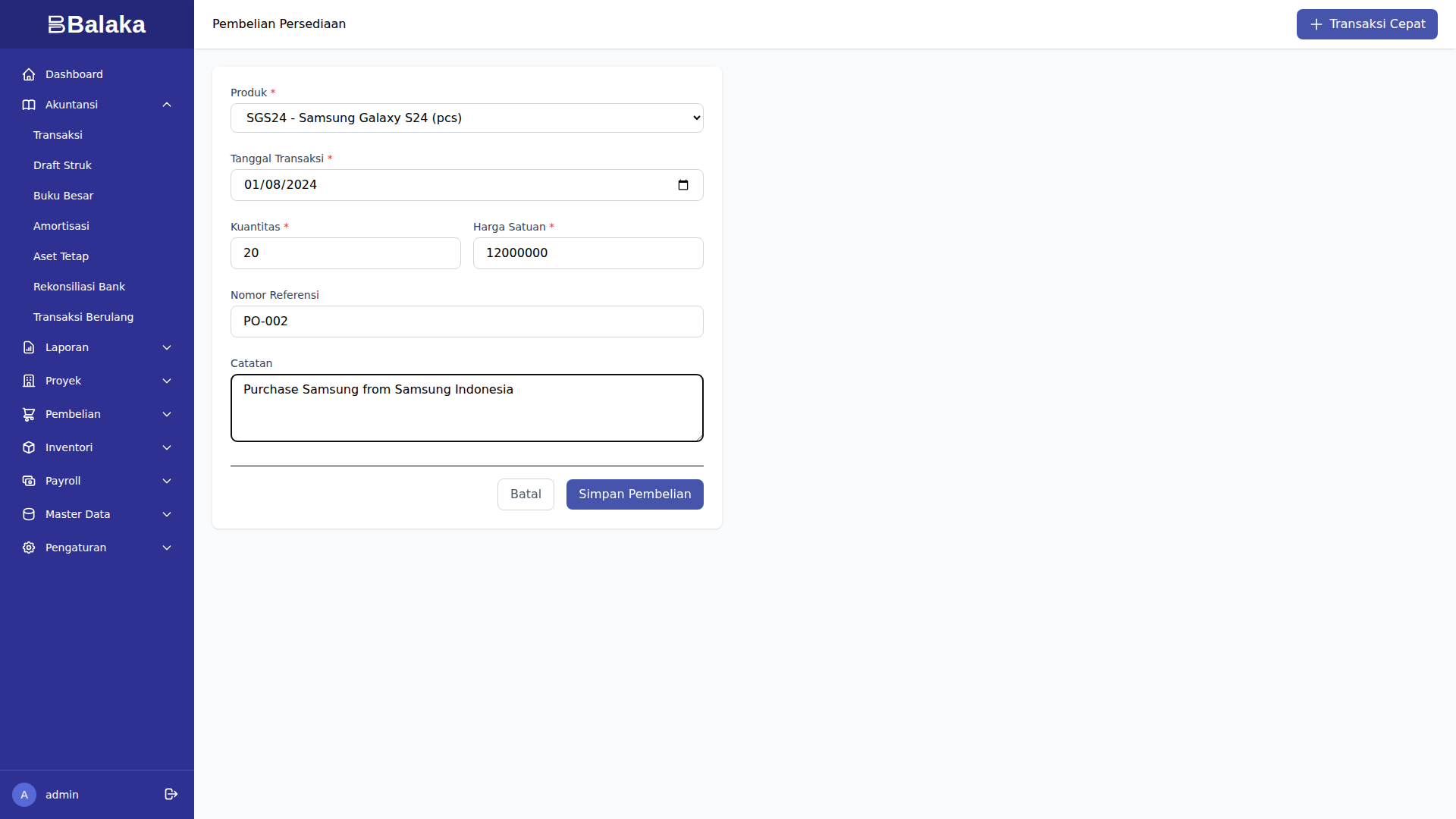
Data:
- Produk: Samsung Galaxy S24 (SGS24)
- Quantity: 20 unit
- Harga: Rp 12.000.000/unit
- Total: Rp 240.000.000
- Referensi: PO-002
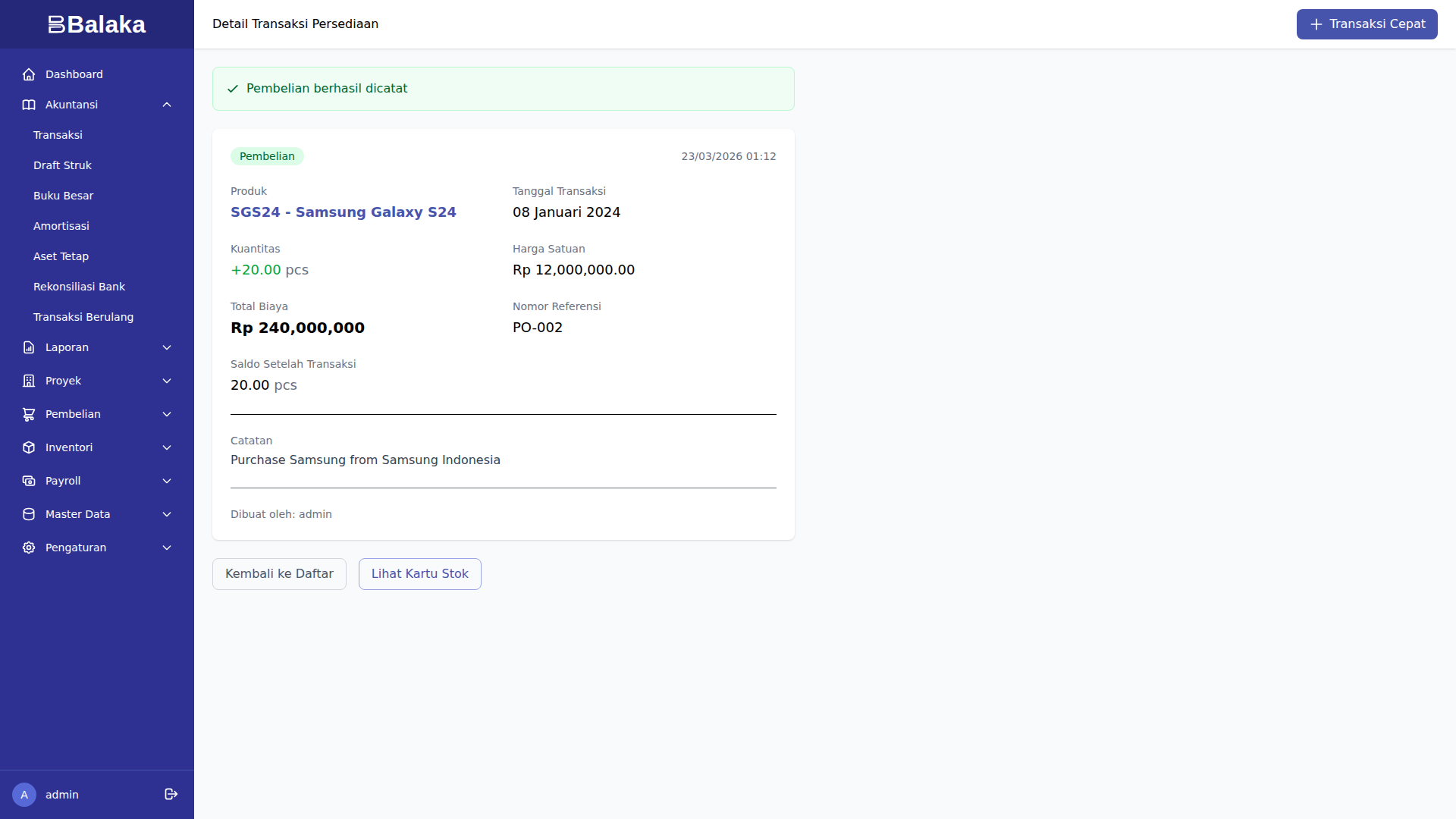
Impact:
- Stok Samsung S24: 0 → 20 unit
- Nilai persediaan: +Rp 240.000.000
- Total persediaan: Rp 390.000.000
Contoh 3: Pembelian Accessories (USB-C Cable & Phone Case)
Konteks: Melengkapi stok accessories untuk bundling dengan smartphone.
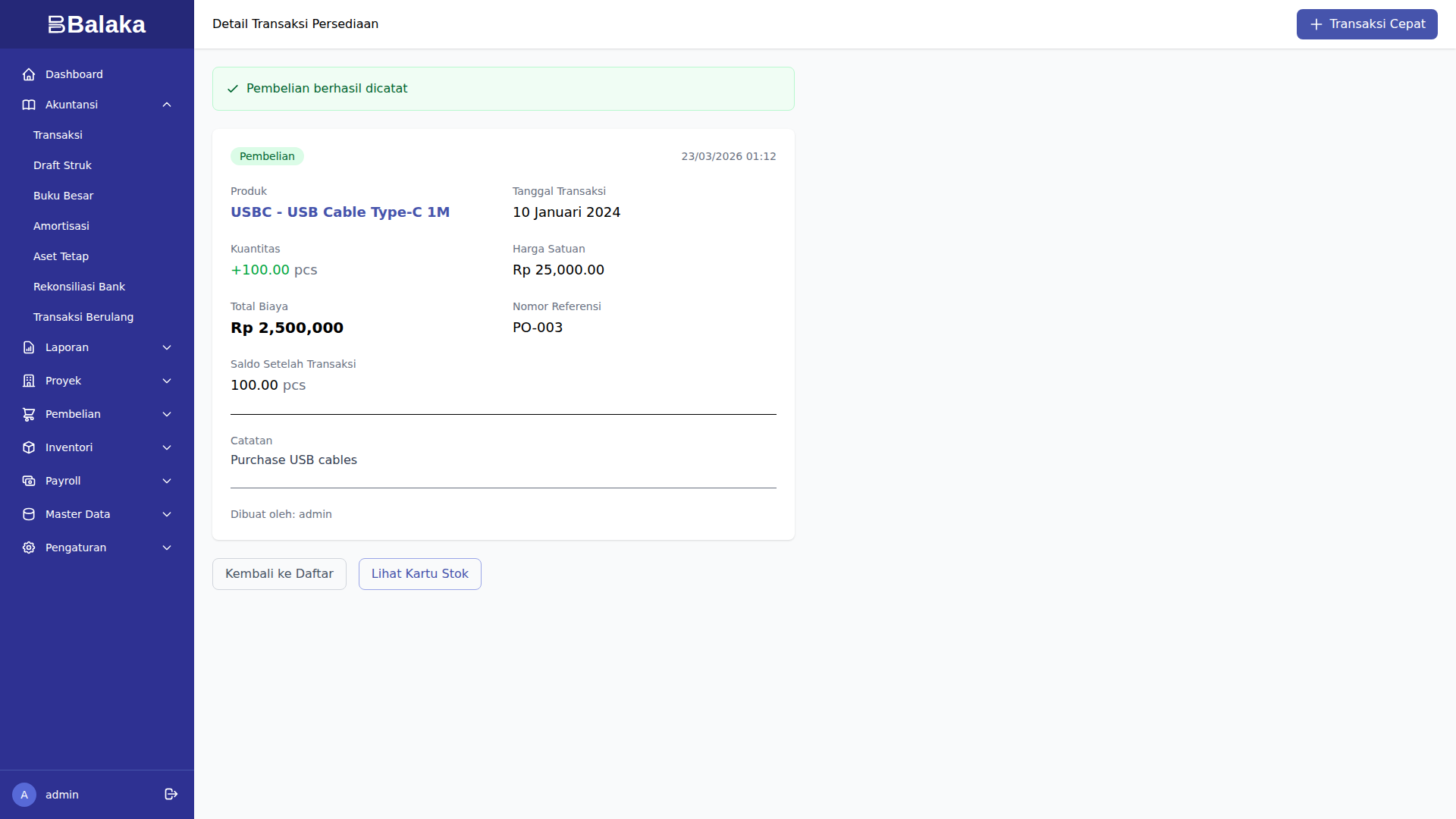
Pembelian 1: USB-C Cable
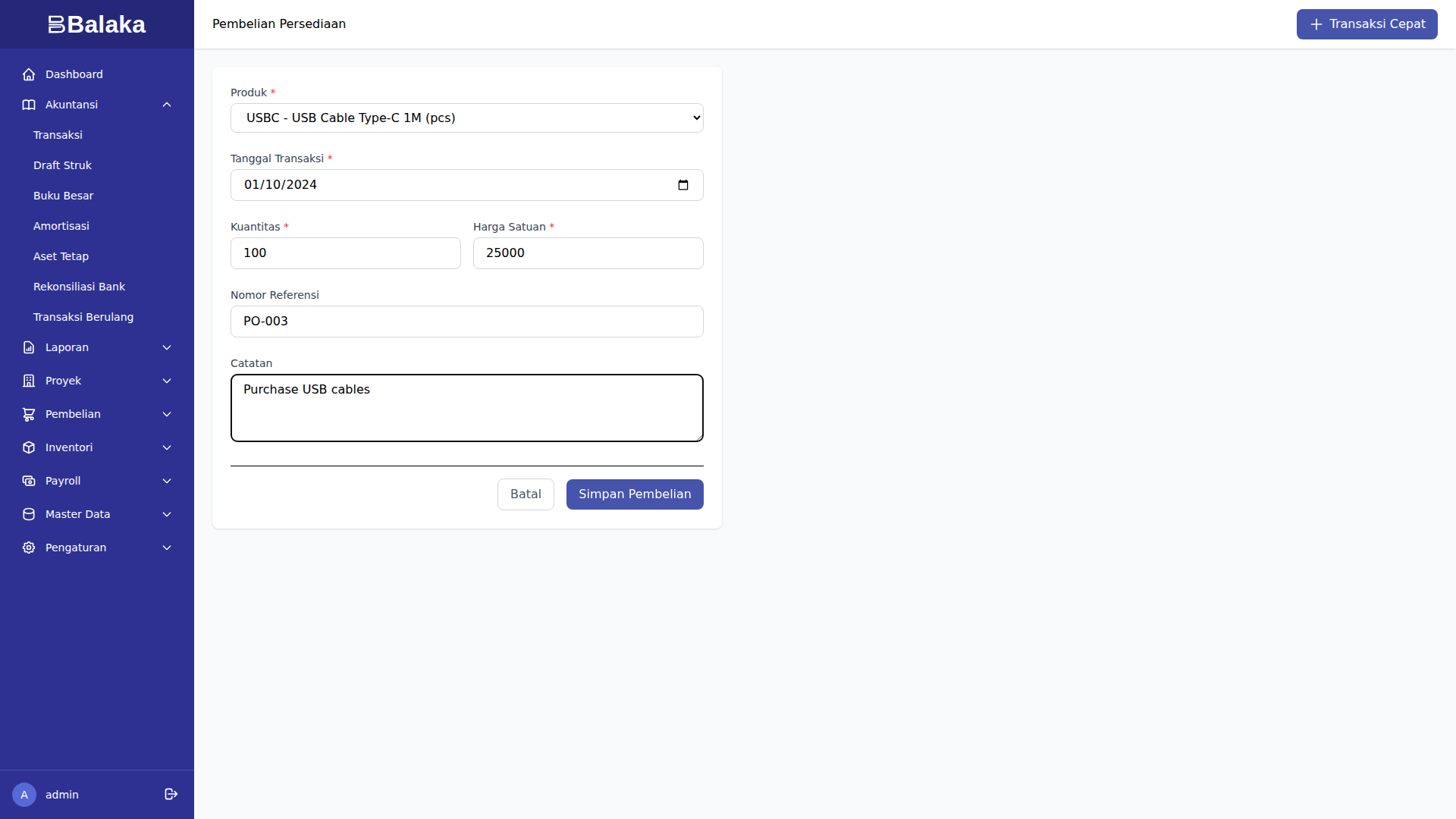
- Produk: USB-C Cable (USBC)
- Quantity: 100 unit
- Harga: Rp 25.000/unit
- Total: Rp 2.500.000
- Referensi: PO-003
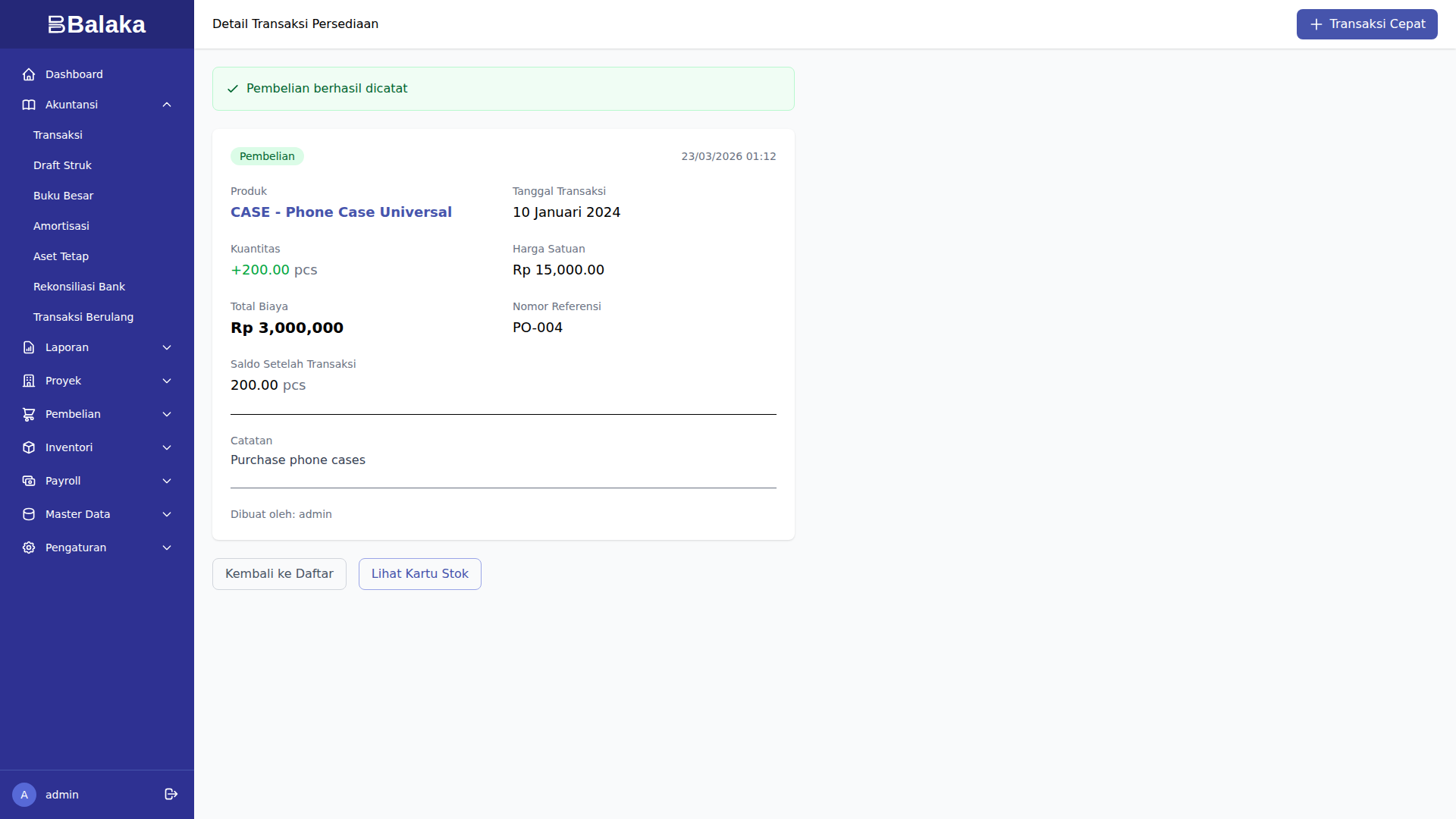
Pembelian 2: Phone Case
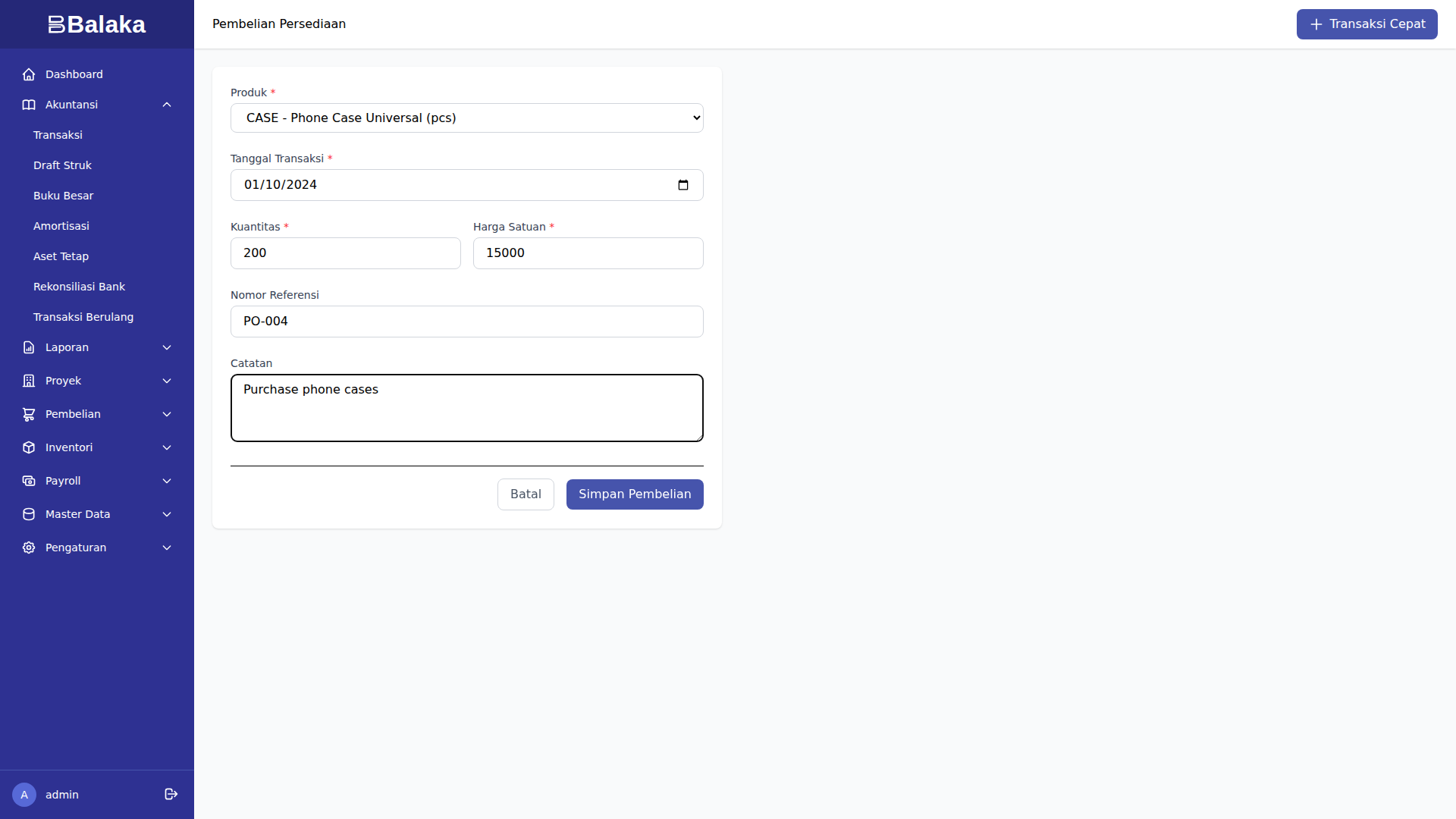
- Produk: Phone Case (CASE)
- Quantity: 200 unit
- Harga: Rp 15.000/unit
- Total: Rp 3.000.000
- Referensi: PO-004
Total Investasi Persediaan: Rp 395.500.000
Transaksi Penjualan dengan Auto-COGS
Contoh 1: Penjualan iPhone via Tokopedia
Konteks: Terjual 5 unit iPhone 15 Pro via Tokopedia, harga jual Rp 19 juta/unit.
Langkah 1: Buka Form Penjualan
Menu Inventori > Transaksi > Penjualan Baru
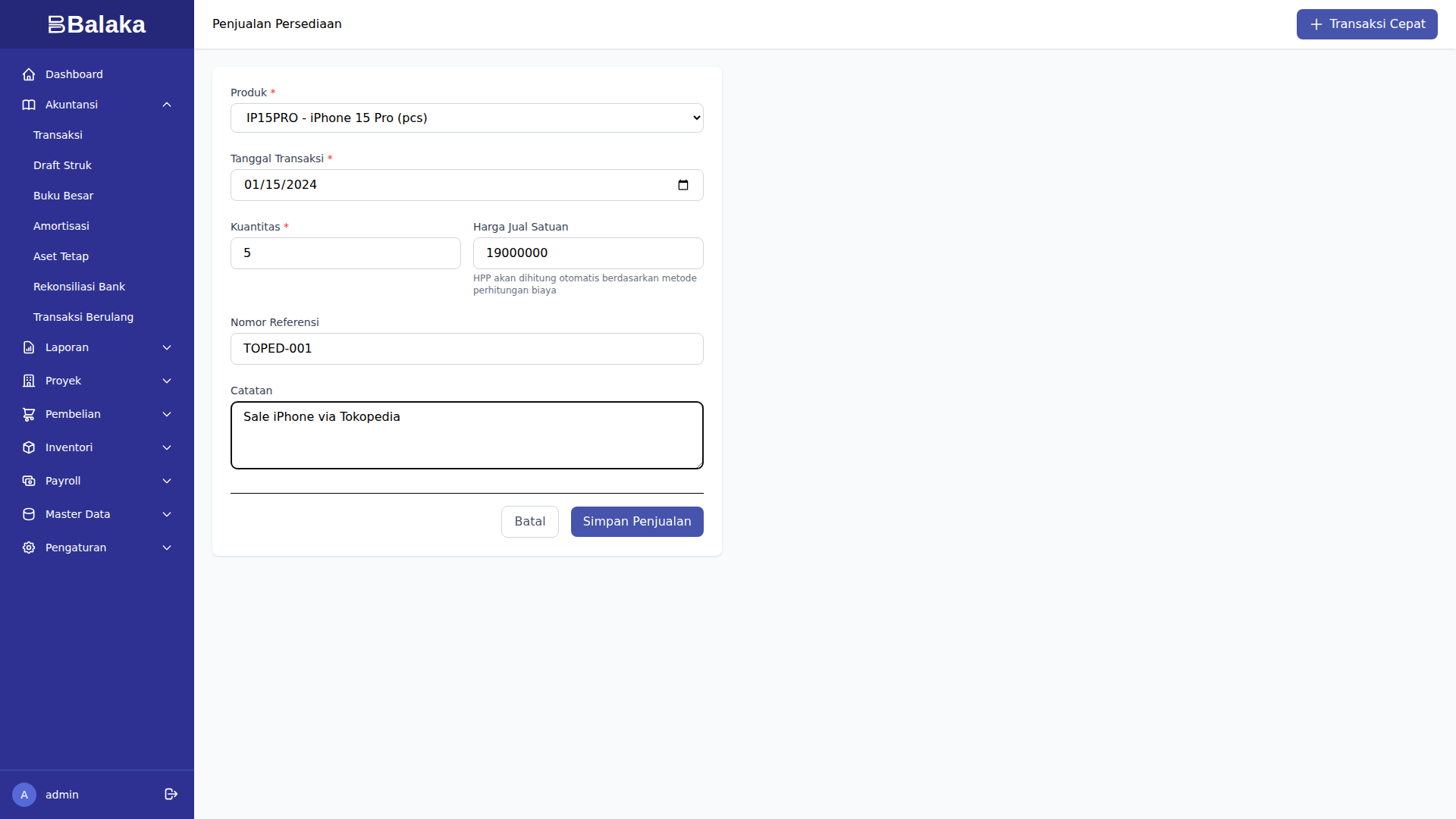
Langkah 2: Isi Data
- Tanggal: 15 Januari 2024
- Channel: Tokopedia
- Produk: iPhone 15 Pro (IP15PRO)
- Quantity: 5 unit
- Harga Jual: Rp 19.000.000/unit
- Total: Rp 95.000.000
- Referensi: TOPED-001
Langkah 3: Sistem Hitung HPP (FIFO)
Sistem otomatis ambil dari layer pembelian:
- Layer 1 (PO-001): 10 unit @ Rp 15.000.000
- Keluar: 5 unit @ Rp 15.000.000
- HPP: Rp 75.000.000
Langkah 4: Simpan & Posting
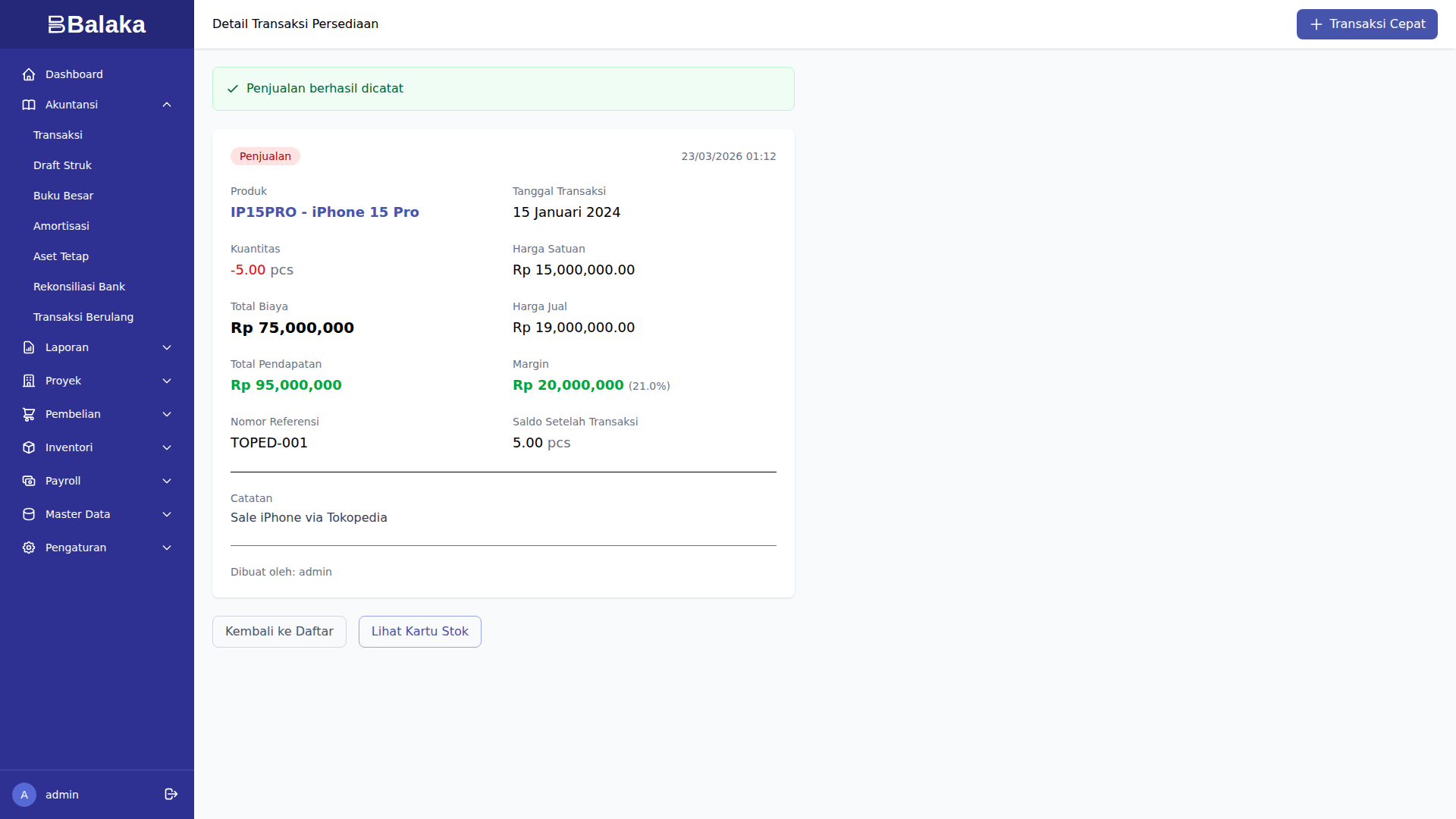
Jurnal Otomatis (2 entries, DRAFT):
Entry 1: Revenue Recognition
Dr. 1.1.01 Bank BCA                 Rp 95.000.000
    Cr. 4.1.01 Penjualan                Rp 95.000.000
Entry 2: COGS Recognition
Dr. 5.1.01 HPP                      Rp 75.000.000
    Cr. 1.1.20 Persediaan               Rp 75.000.000
Impact:
- Stok iPhone 15 Pro: 10 → 5 unit
- Revenue: Rp 95.000.000
- HPP: Rp 75.000.000
- Gross Profit: Rp 20.000.000
- Margin: 21.1%
Contoh 2: Penjualan Samsung via Shopee
Konteks: Terjual 8 unit Samsung S24 via Shopee, harga Rp 14 juta/unit.
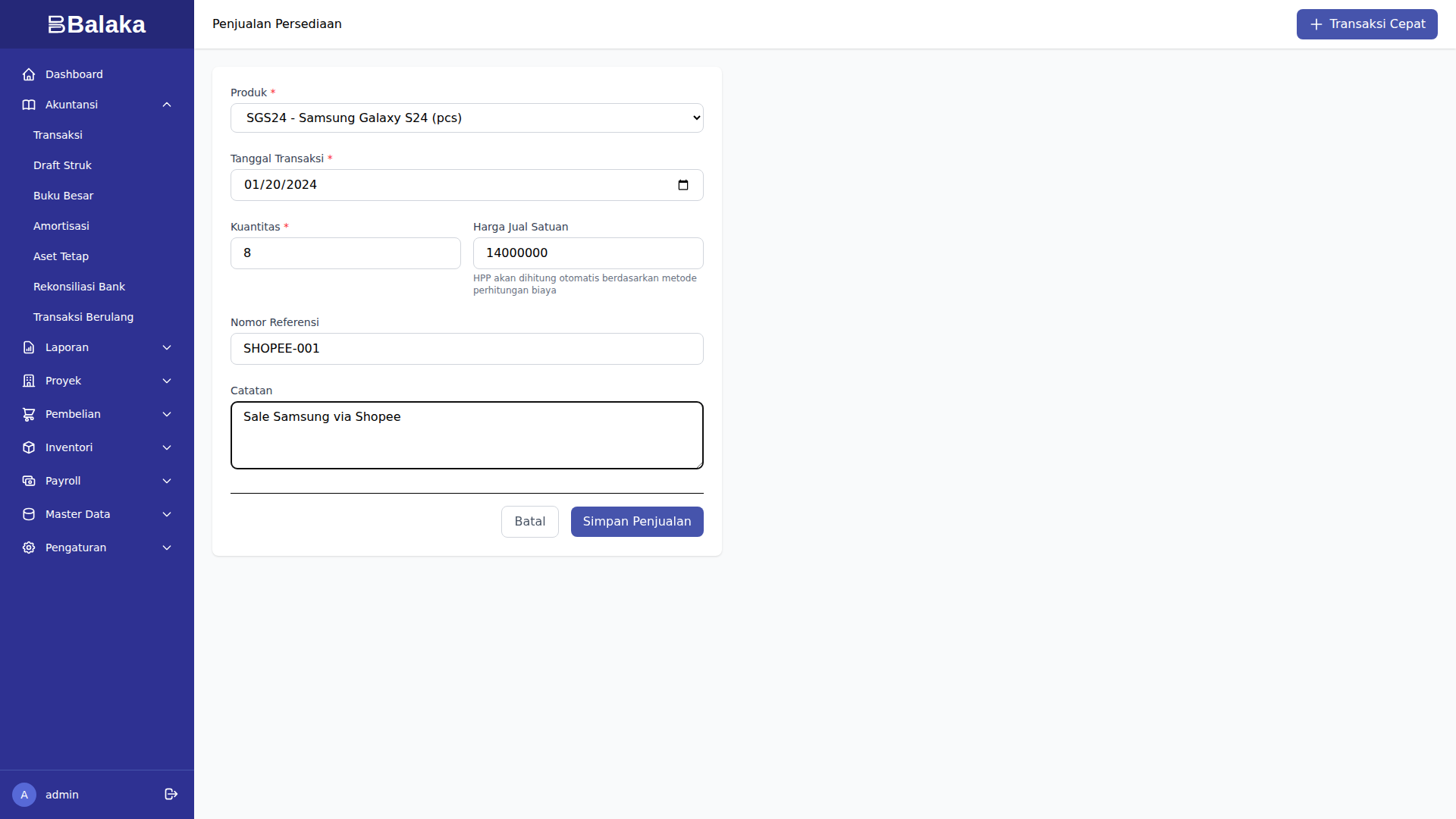
Data:
- Channel: Shopee
- Produk: Samsung S24 (SGS24)
- Quantity: 8 unit
- Harga Jual: Rp 14.000.000/unit
- Total: Rp 112.000.000
- Referensi: SHOPEE-001
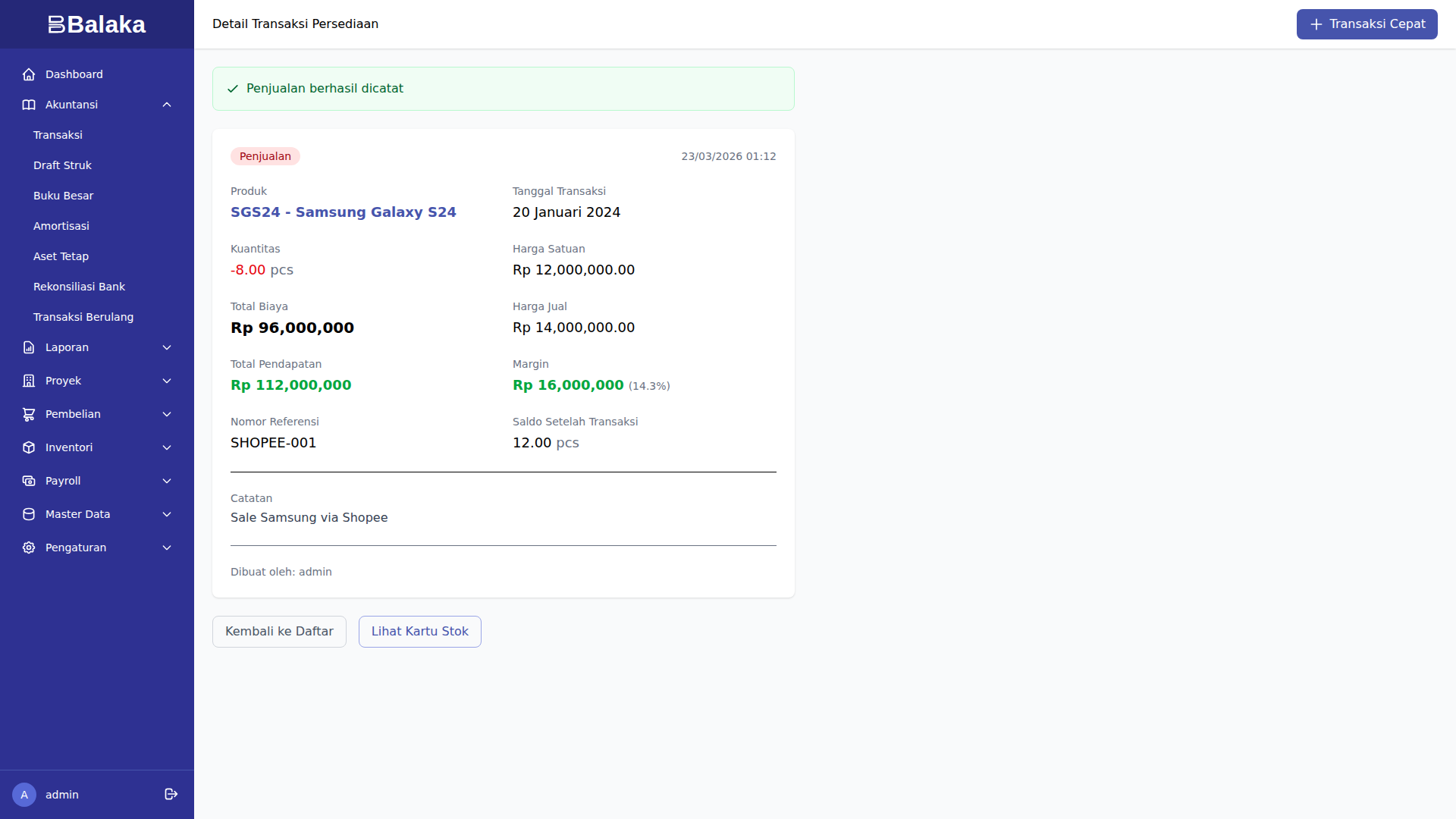
HPP Calculation (FIFO):
- Layer 1 (PO-002): 20 unit @ Rp 12.000.000
- Keluar: 8 unit @ Rp 12.000.000
- HPP: Rp 96.000.000
Jurnal:
Dr. Bank                        Rp 112.000.000
    Cr. Penjualan                   Rp 112.000.000

Dr. HPP                         Rp  96.000.000
    Cr. Persediaan                  Rp  96.000.000
Impact:
- Stok Samsung S24: 20 → 12 unit
- Revenue: Rp 112.000.000
- HPP: Rp 96.000.000
- Gross Profit: Rp 16.000.000
- Margin: 14.3%
Contoh 3: Penjualan Accessories
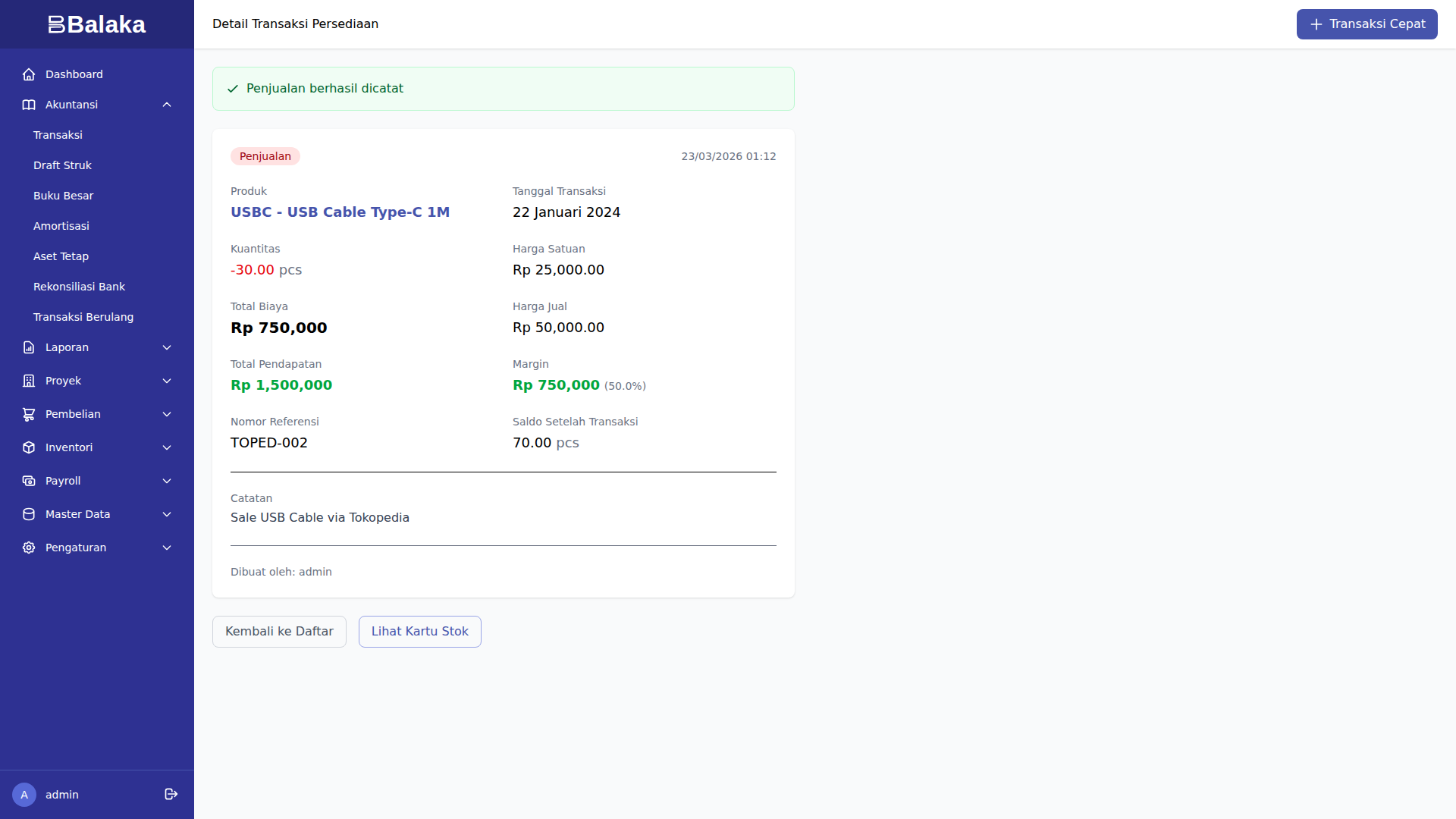
Penjualan USB-C Cable via Tokopedia:
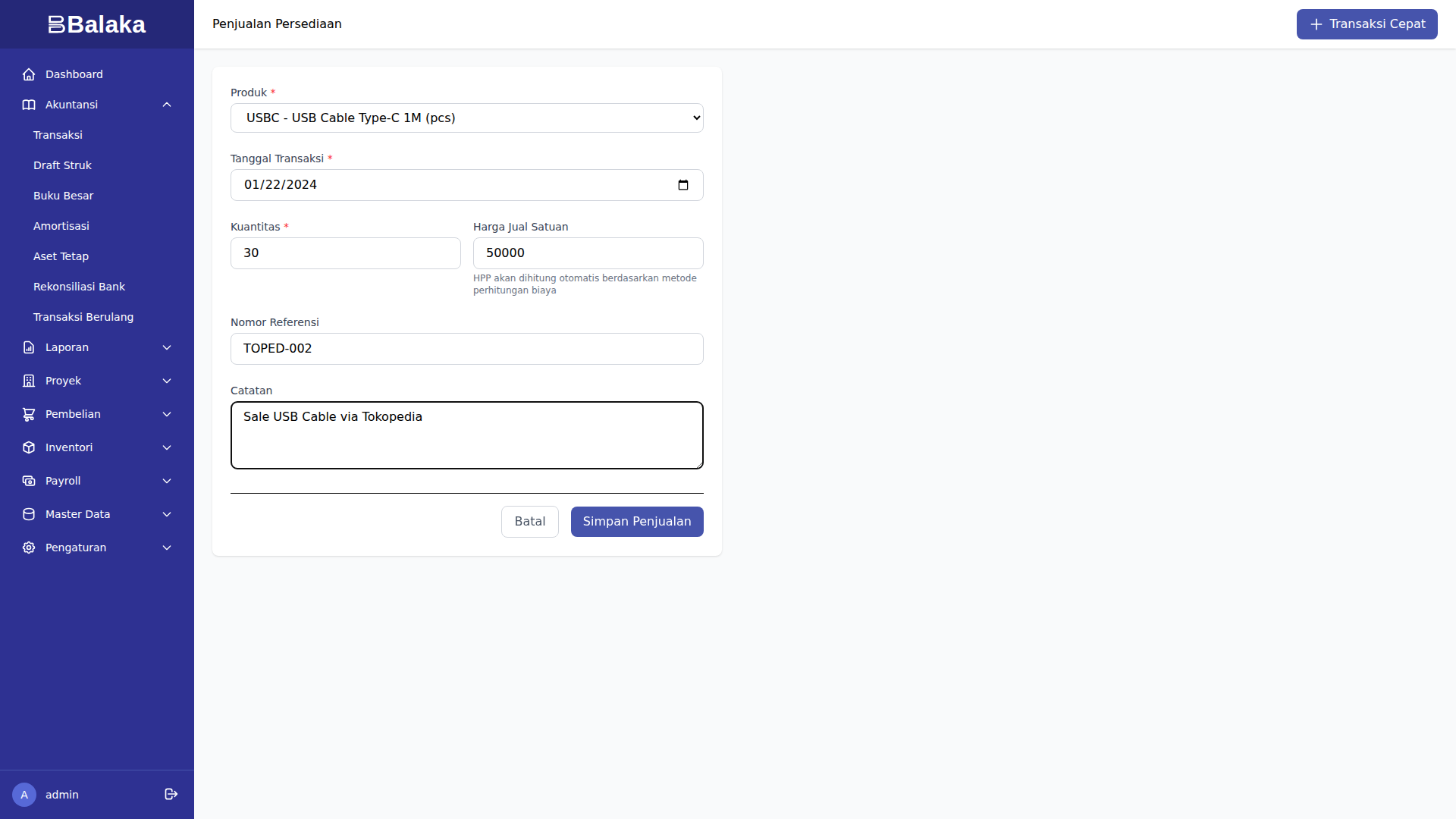
- Quantity: 30 unit @ Rp 50.000 = Rp 1.500.000
- HPP: 30 × Rp 25.000 = Rp 750.000
- Gross Profit: Rp 750.000 (50% margin)
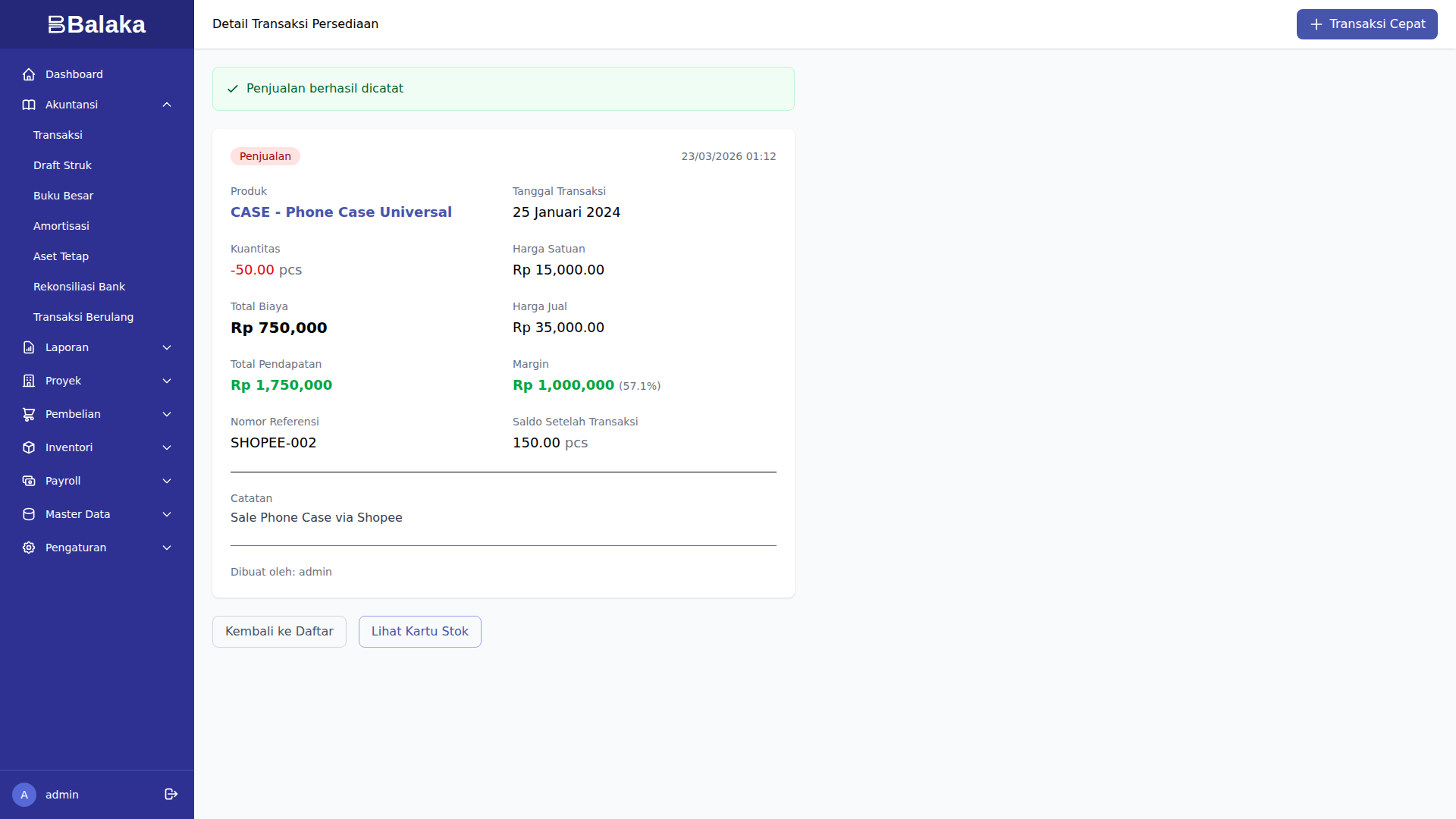
Penjualan Phone Case via Shopee:
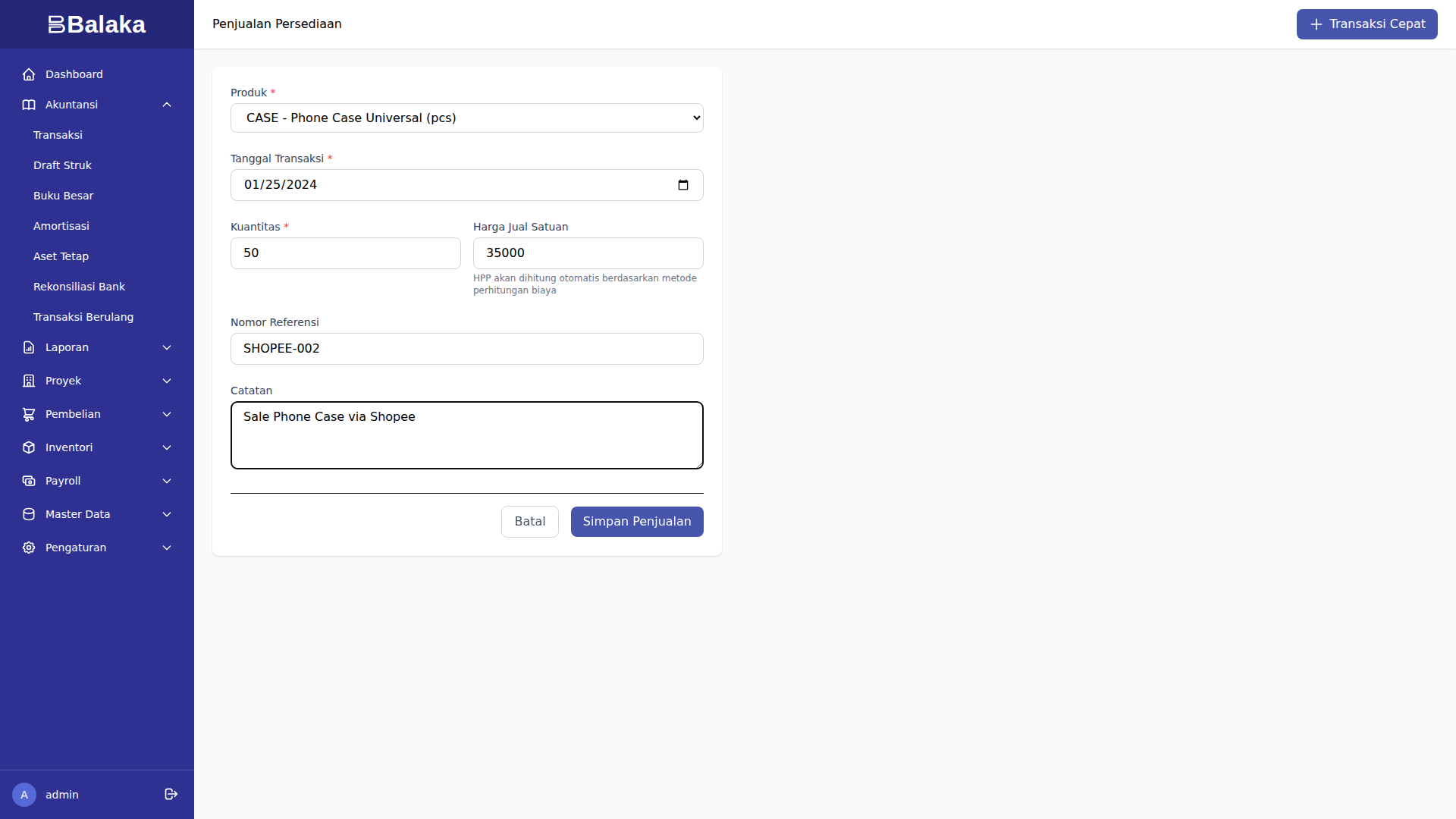
- Quantity: 50 unit @ Rp 35.000 = Rp 1.750.000
- HPP: 50 × Rp 15.000 = Rp 750.000
- Gross Profit: Rp 1.000.000 (57.1% margin)
Perbandingan Channel: Tokopedia vs Shopee
| Metric | Tokopedia (iPhone) | Shopee (Samsung) |
|---|---|---|
| Revenue | Rp 95.000.000 | Rp 112.000.000 |
| HPP | Rp 75.000.000 | Rp 96.000.000 |
| Gross Profit | Rp 20.000.000 | Rp 16.000.000 |
| Margin | 21.1% | 14.3% |
| Units Sold | 5 | 8 |
| Avg Selling Price | Rp 19.000.000 | Rp 14.000.000 |
| Avg Unit Profit | Rp 4.000.000 | Rp 2.000.000 |
Insight:
- iPhone memiliki margin lebih tinggi (21.1% vs 14.3%)
- Profit per unit iPhone 2x lipat Samsung
- Samsung volume lebih tinggi (8 vs 5 unit)
Laporan Persediaan
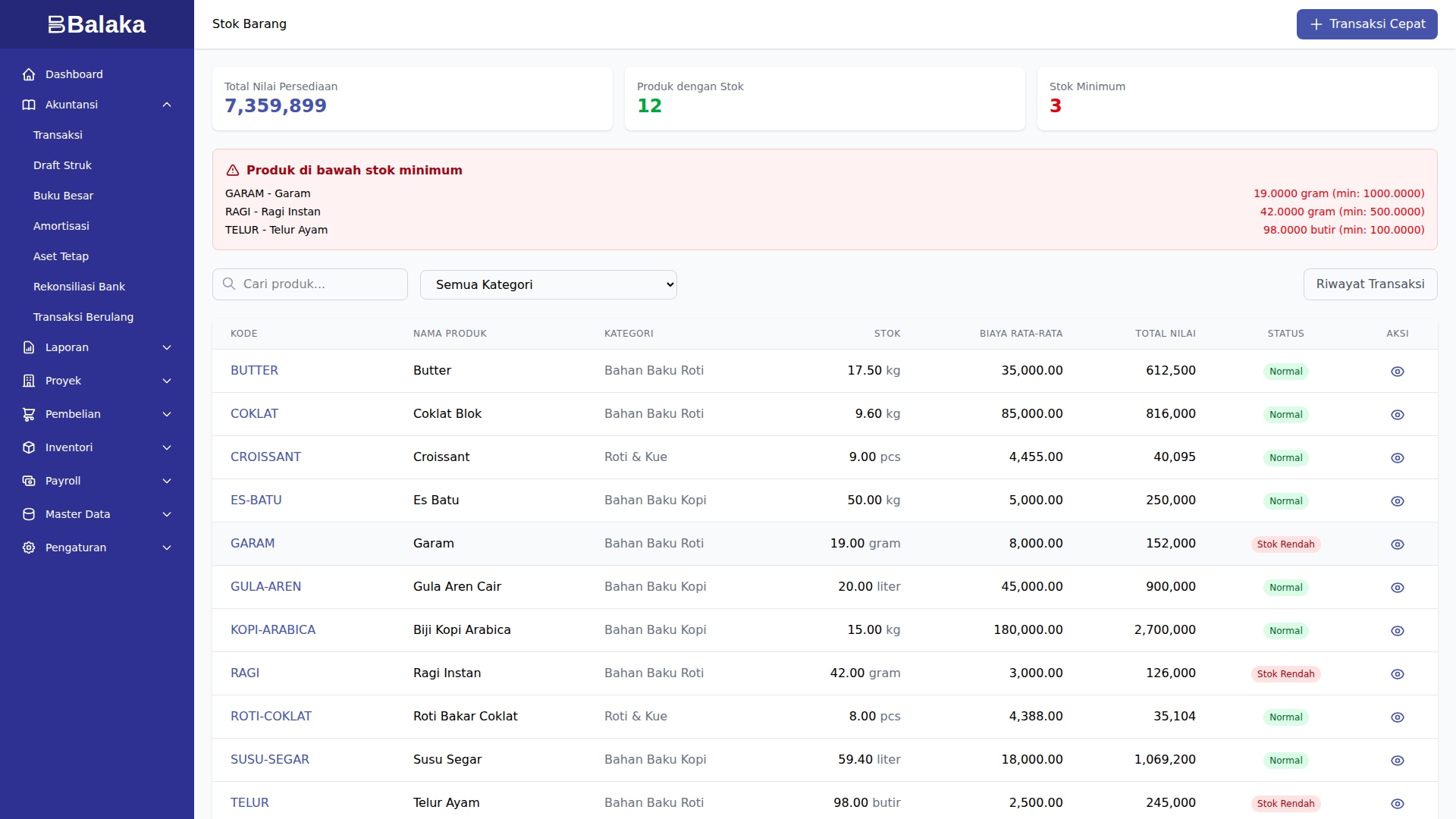
Stok Barang
Buka menu Inventori > Stok.
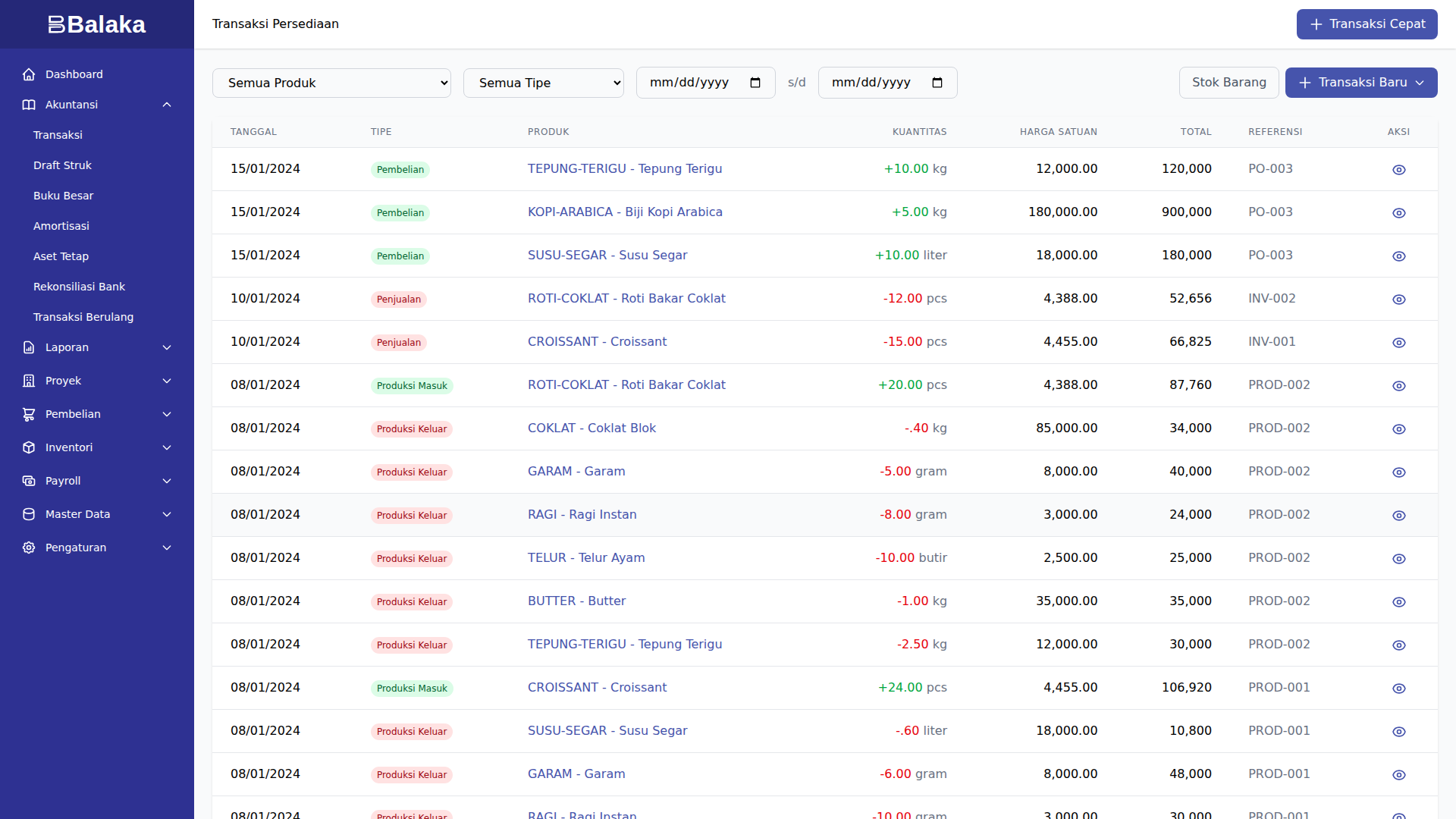
Transaksi Inventori
Buka menu Inventori > Transaksi.
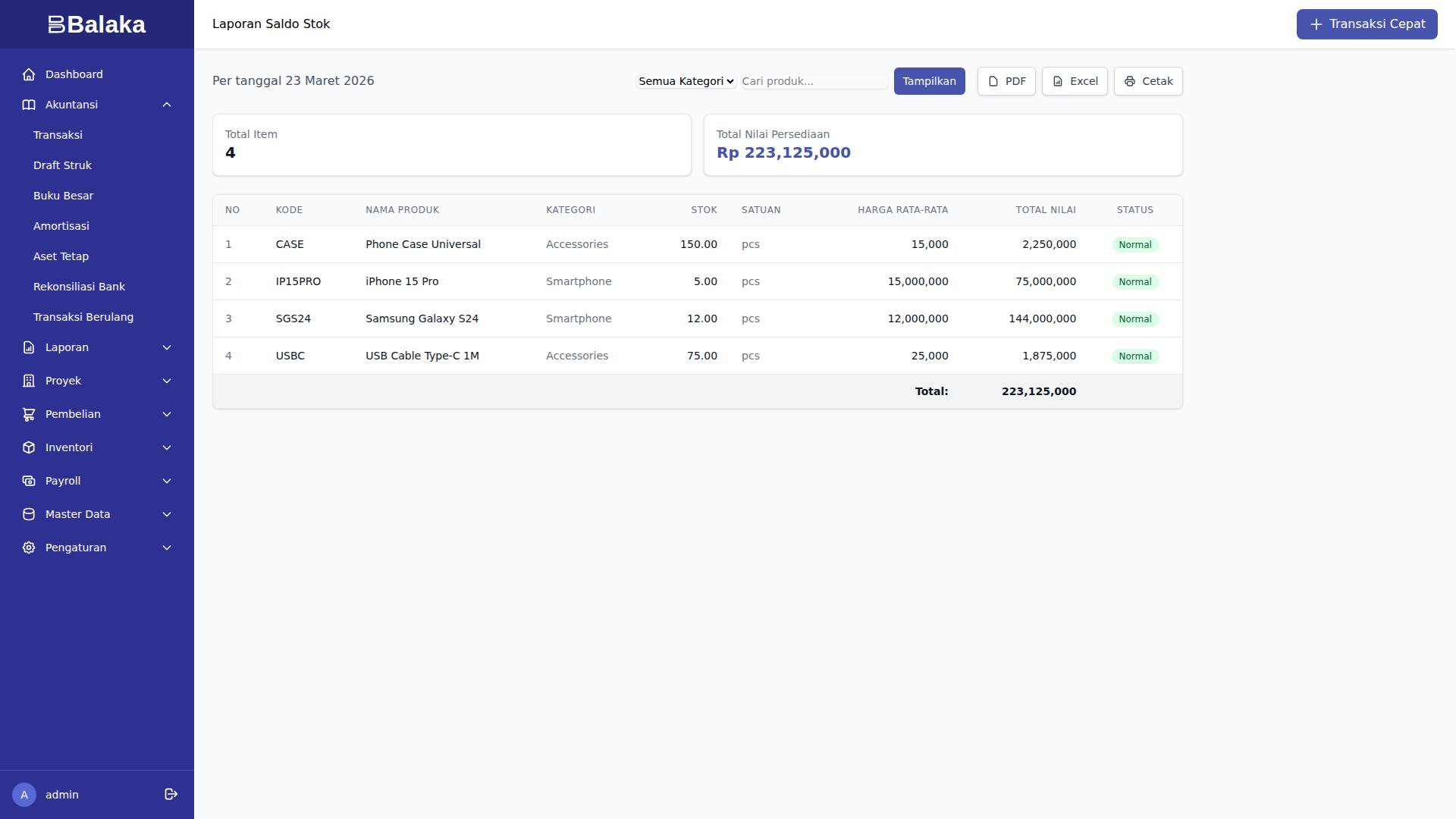
Laporan Saldo Stok
Buka menu Inventori > Laporan > Saldo Stok.
Laporan Mutasi Stok
Buka menu Inventori > Laporan > Mutasi Stok.
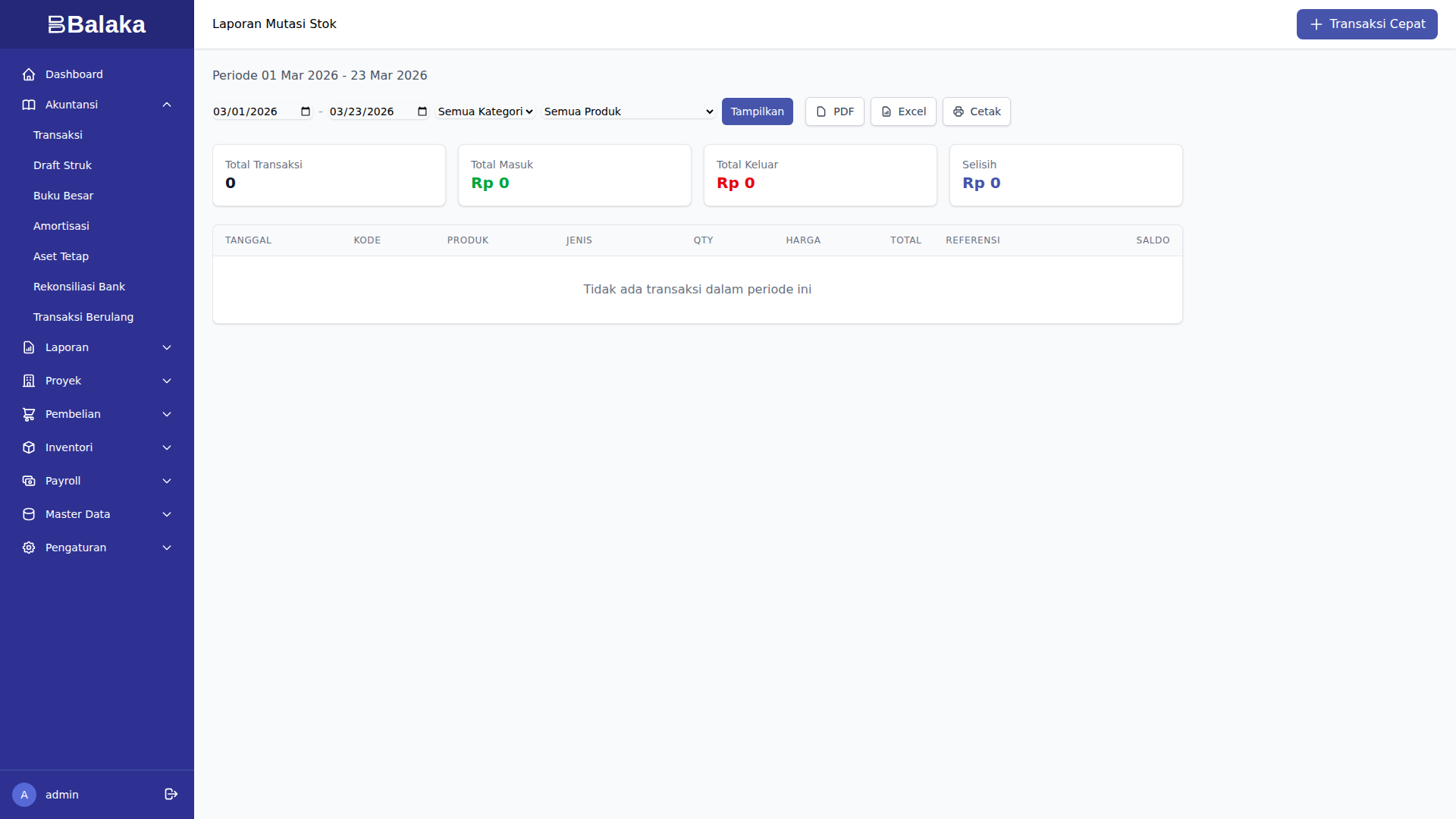
Menampilkan kartu stok per produk:
- Tanggal transaksi
- Tipe (masuk/keluar)
- Qty
- Harga
- Saldo running
Tampilan Layar
Profitabilitas Produk
Laporan Profitabilitas
Buka menu Inventori > Laporan > Profitabilitas Produk.
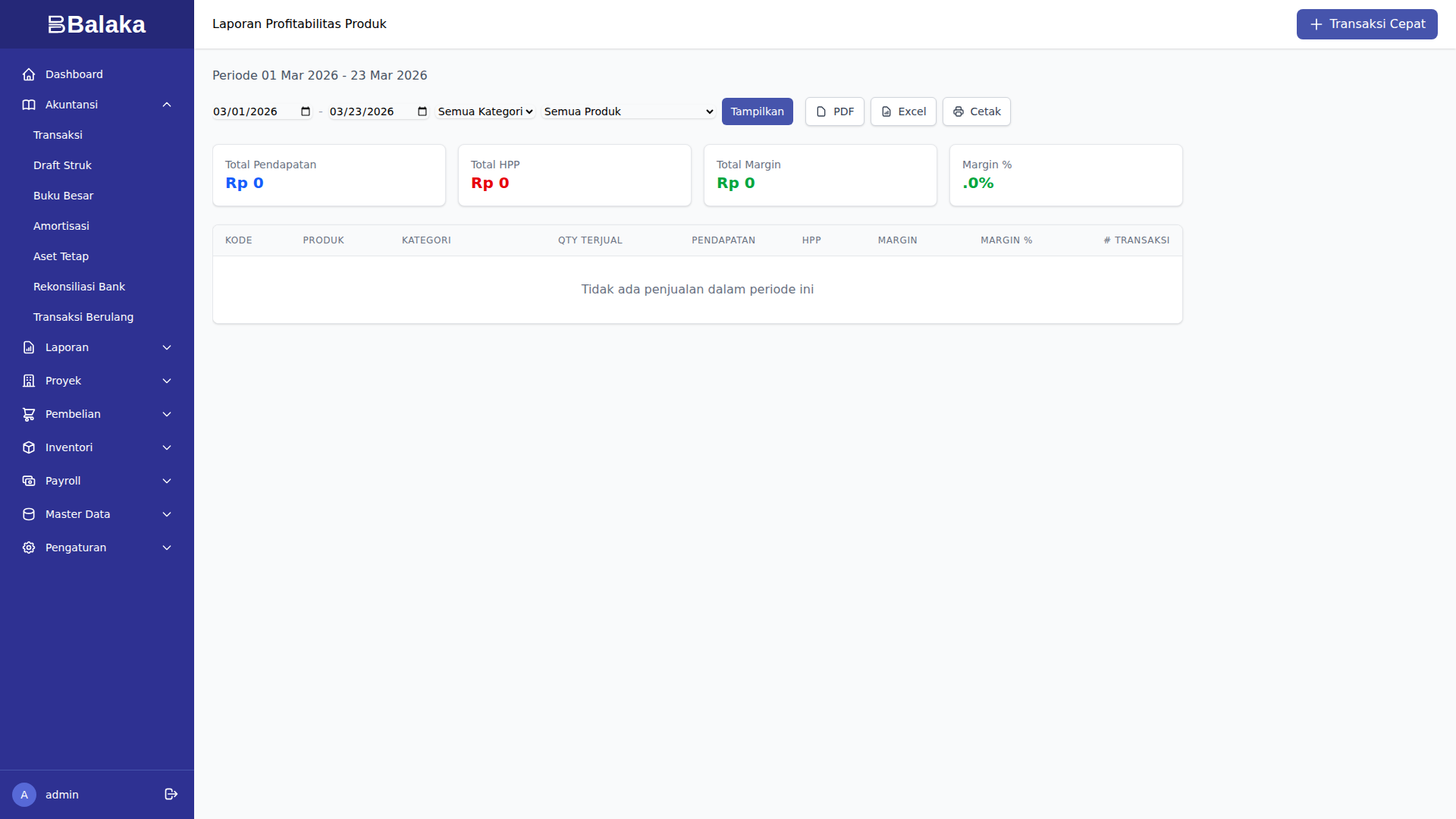
Metrik per produk:
- Total penjualan (revenue)
- Total HPP (cost)
- Gross profit
- Margin (%)
Tampilan Layar
Laporan Lengkap: Setelah 9 Transaksi
Saldo Stok
| Produk | Qty | Avg Cost | Total Value |
|---|---|---|---|
| iPhone 15 Pro | 5 | Rp 15.000.000 | Rp 75.000.000 |
| Samsung S24 | 12 | Rp 12.000.000 | Rp 144.000.000 |
| USB-C Cable | 75 | Rp 25.000 | Rp 1.875.000 |
| Phone Case | 150 | Rp 15.000 | Rp 2.250.000 |
| Total | Rp 223.125.000 |
Mutasi Stok (Kartu Stok)
Menampilkan history pergerakan setiap produk dengan running balance.
Valuasi Persediaan
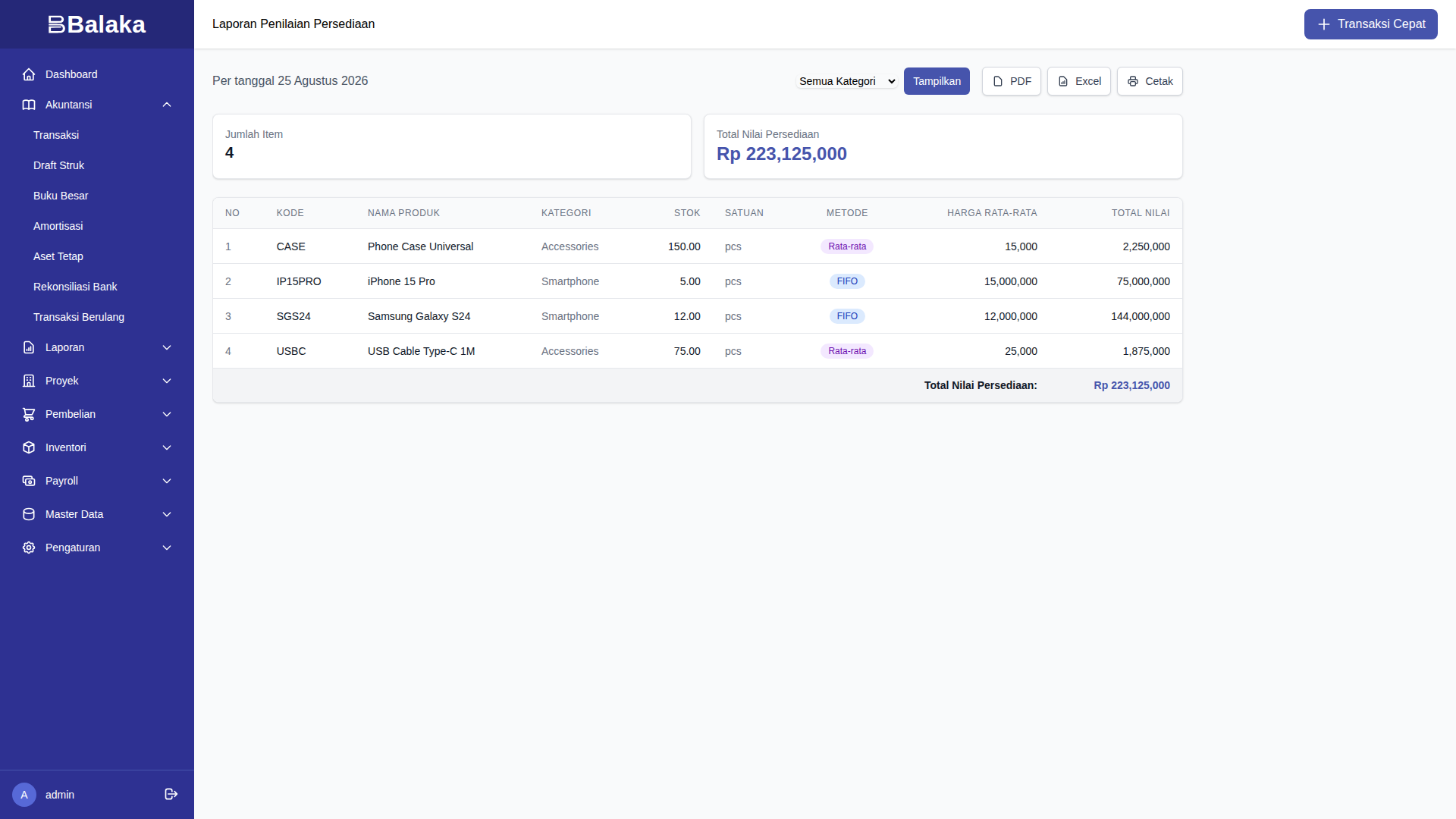
Laporan nilai persediaan berdasarkan metode costing (FIFO/Weighted Average).
Profitabilitas Produk
| Produk | Revenue | HPP | Gross Profit | Margin % |
|---|---|---|---|---|
| iPhone 15 Pro | Rp 95.000.000 | Rp 75.000.000 | Rp 20.000.000 | 21.1% |
| Samsung S24 | Rp 112.000.000 | Rp 96.000.000 | Rp 16.000.000 | 14.3% |
| USB-C Cable | Rp 1.500.000 | Rp 750.000 | Rp 750.000 | 50.0% |
| Phone Case | Rp 1.750.000 | Rp 750.000 | Rp 1.000.000 | 57.1% |
| Total | Rp 210.250.000 | Rp 172.500.000 | Rp 37.750.000 | 18.0% |
Key Insights:
- Accessories (USB, Case) memiliki margin lebih tinggi (50-57%) tetapi profit absolut lebih rendah
- Smartphones memiliki margin lebih rendah (14-21%) tetapi profit absolut lebih tinggi
- iPhone lebih profitable dibanding Samsung per unit
- Overall gross margin: 18%
Skenario Transaksi
Skenario 1: Beli Barang dari Supplier
- Buka Inventori > Transaksi > Pembelian Baru
- Isi produk dan qty
- Jurnal:
Dr. Persediaan               5.000.000
    Cr. Bank                     5.000.000
Skenario 2: Jual Barang via Tokopedia
- Buka Inventori > Transaksi > Penjualan Baru
- Pilih channel: Tokopedia
- Isi produk dan qty
- Sistem hitung HPP (FIFO/WA)
- Jurnal:
Dr. Bank                     7.500.000
    Cr. Penjualan                7.500.000

Dr. HPP                      5.000.000
    Cr. Persediaan               5.000.000
Gross margin: 33%
Skenario 3: Adjustment Stok (Selisih)
- Buka Inventori > Transaksi > Adjustment Baru
- Pilih produk
- Isi qty adjustment (+/-)
- Pilih reason (Rusak, Hilang, Stock Opname)
- Jurnal (jika minus):
Dr. Beban Selisih Persediaan xxx
    Cr. Persediaan               xxx
Tips Industri Dagang
- Stock opname rutin - Minimal bulanan untuk produk fast-moving
- Monitor aging - Produk slow-moving berisiko obsolete
- Track per channel - Analisis profitabilitas per marketplace
- Safety stock - Jaga minimum stock untuk produk laris
- Reorder point - Set alert ketika stok menipis
Lihat Juga
- Pengantar Industri - Perbandingan industri
- Tutorial Akuntansi - Jurnal dasar
- Perpajakan - PPN pembelian/penjualan